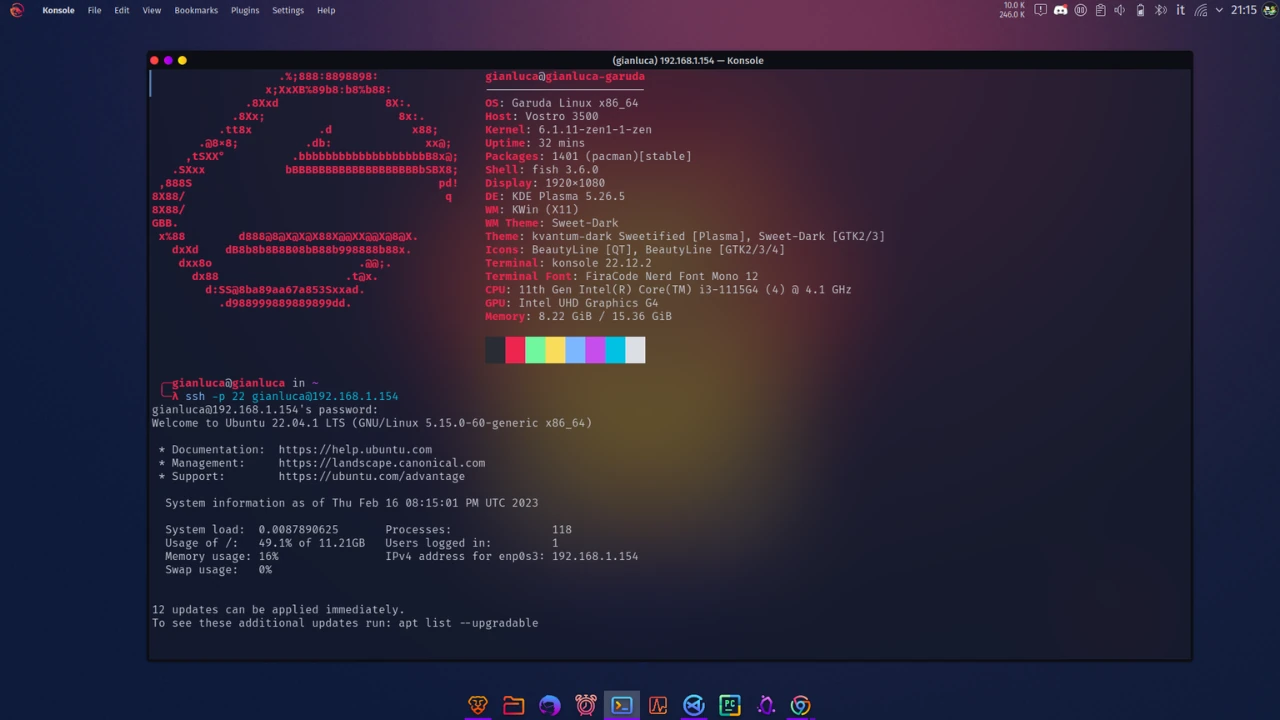
WordPress su Ubuntu Server 22.04: Installazione Enterprise-Grade
L’installazione di WordPress su Ubuntu Server 22.04 rappresenta una delle configurazioni più richieste per siti web professionali. Questa guida completa ti accompagnerà attraverso ogni aspetto dell’installazione, dalla configurazione del server alle ottimizzazioni avanzate, fornendo un ambiente production-ready sicuro e performante.
In questo articolo
- Setup completo LEMP stack (Linux, Nginx, MySQL, PHP)
- Configurazioni di sicurezza avanzate e hardening del server
- Installazione e configurazione WordPress ottimizzata
- SSL/TLS con Let’s Encrypt per HTTPS automatico
- Performance optimization con cache e compressione
- Sistema di backup automatico completo
- Monitoring e logging per manutenzione proattiva
- Troubleshooting e risoluzione problemi comuni
Indice della Guida
🛠️ Parte I - Preparazione Sistema
- Configurazione Ubuntu Server Base
- Setup Utenti e Sicurezza
- Configurazione Firewall Avanzato
🚀 Parte II - LEMP Stack
- Installazione e Configurazione Nginx
- Setup MySQL e Database
- Installazione PHP e Estensioni
📦 Parte III - WordPress
- Installazione WordPress
- Configurazione Avanzata
- SSL e Security Hardening
⚡ Parte IV - Ottimizzazioni e Manutenzione
- Performance e Caching
- Backup Automatici
- Monitoring e Troubleshooting
Configurazione Ubuntu Server Base
Prerequisiti e Preparazione
Requisiti Minimi Sistema:
- RAM: 2GB (raccomandati 4GB per siti con traffico medio)
- Storage: 20GB SSD (raccomandati 40GB+ per crescita futura)
- CPU: 2 core (scalabile in base al traffico)
- Rete: Connessione stabile con IP statico
Variabili di Configurazione:
1
2
3
4
5
6
7
8
9
|
# Personalizza questi valori per la tua installazione
SERVER_IP="192.168.1.100"        # IP del tuo server
DOMAIN_NAME="example.com"        # Il tuo dominio
ADMIN_USER="webadmin"            # Nome utente amministratore
DB_NAME="wordpress_db"           # Nome database WordPress
DB_USER="wp_user"                # Utente database WordPress
WP_SITE_TITLE="Il Mio Sito"     # Titolo del sito WordPress
WP_ADMIN_USER="admin"            # Username admin WordPress
WP_ADMIN_EMAIL="admin@example.com" # Email admin WordPress
|
Connessione Iniziale e Update Sistema
 1
 2
 3
 4
 5
 6
 7
 8
 9
10
11
12
13
14
15
16
17
18
19
20
21
22
|
# Connessione SSH al server
ssh root@$SERVER_IP

# Aggiornamento completo del sistema
apt update && apt upgrade -y

# Installazione pacchetti essenziali
apt install -y curl wget git unzip software-properties-common \
               apt-transport-https ca-certificates gnupg lsb-release \
               htop nano vim tree fail2ban ufw

# Configurazione timezone
timedatectl set-timezone Europe/Rome
timedatectl status

# Verifica sistema
echo "=== SYSTEM INFO ==="
hostnamectl
echo "=== MEMORY INFO ==="
free -h
echo "=== DISK SPACE ==="
df -h
|
Setup Utenti e Sicurezza
Creazione Utente Amministratore
 1
 2
 3
 4
 5
 6
 7
 8
 9
10
11
12
13
14
|
# Creazione nuovo utente con directory home
adduser $ADMIN_USER

# Aggiunta al gruppo sudo
usermod -aG sudo $ADMIN_USER

# Configurazione accesso SSH per il nuovo utente
mkdir -p /home/$ADMIN_USER/.ssh
chmod 700 /home/$ADMIN_USER/.ssh

# Se usi chiavi SSH, copia la chiave pubblica
# cp /root/.ssh/authorized_keys /home/$ADMIN_USER/.ssh/
# chown -R $ADMIN_USER:$ADMIN_USER /home/$ADMIN_USER/.ssh
# chmod 600 /home/$ADMIN_USER/.ssh/authorized_keys
|
Hardening SSH
 1
 2
 3
 4
 5
 6
 7
 8
 9
10
11
12
13
14
15
16
17
18
19
20
21
22
23
24
25
26
27
28
29
30
31
32
33
34
35
36
37
38
|
# Backup configurazione SSH originale
cp /etc/ssh/sshd_config /etc/ssh/sshd_config.backup

# Configurazione SSH sicura
cat > /etc/ssh/sshd_config.d/hardening.conf << EOF
# SSH Security Hardening
Port 22
PermitRootLogin no
PasswordAuthentication yes
PubkeyAuthentication yes
MaxAuthTries 3
MaxSessions 10
LoginGraceTime 60
AllowUsers $ADMIN_USER

# Security enhancements
Protocol 2
X11Forwarding no
UseDNS no
PermitEmptyPasswords no
ChallengeResponseAuthentication no
UsePAM yes
PrintMotd no

# Encryption
Ciphers chacha20-poly1305@openssh.com,aes256-gcm@openssh.com,aes128-gcm@openssh.com
MACs hmac-sha2-256-etm@openssh.com,hmac-sha2-512-etm@openssh.com
KexAlgorithms curve25519-sha256@libssh.org,diffie-hellman-group16-sha512
EOF

# Test configurazione SSH
sshd -t

# Restart servizio SSH
systemctl restart sshd

# Verifica stato
systemctl status sshd
|
Configurazione Fail2Ban
 1
 2
 3
 4
 5
 6
 7
 8
 9
10
11
12
13
14
15
16
17
18
19
20
|
# Configurazione Fail2Ban per SSH protection
cat > /etc/fail2ban/jail.d/sshd.conf << EOF
[sshd]
enabled = true
port = ssh
filter = sshd
logpath = /var/log/auth.log
maxretry = 3
bantime = 1800
findtime = 600
ignoreip = 127.0.0.1/8 ::1
EOF

# Avvio e abilitazione Fail2Ban
systemctl enable fail2ban
systemctl start fail2ban

# Verifica stato
fail2ban-client status
fail2ban-client status sshd
|
Configurazione Firewall Avanzato
Setup UFW con Regole Specifiche
 1
 2
 3
 4
 5
 6
 7
 8
 9
10
11
12
13
14
15
16
17
18
19
20
21
|
# Reset completo UFW
ufw --force reset

# Configurazione policy di default
ufw default deny incoming
ufw default allow outgoing

# Regole essenziali
ufw allow ssh comment 'SSH access'
ufw allow 80/tcp comment 'HTTP'
ufw allow 443/tcp comment 'HTTPS'

# Abilitazione logging
ufw logging on

# Attivazione firewall
ufw --force enable

# Verifica configurazione
ufw status verbose
ufw status numbered
|
Configurazioni UFW Avanzate
  1
  2
  3
  4
  5
  6
  7
  8
  9
 10
 11
 12
 13
 14
 15
 16
 17
 18
 19
 20
 21
 22
 23
 24
 25
 26
 27
 28
 29
 30
 31
 32
 33
 34
 35
 36
 37
 38
 39
 40
 41
 42
 43
 44
 45
 46
 47
 48
 49
 50
 51
 52
 53
 54
 55
 56
 57
 58
 59
 60
 61
 62
 63
 64
 65
 66
 67
 68
 69
 70
 71
 72
 73
 74
 75
 76
 77
 78
 79
 80
 81
 82
 83
 84
 85
 86
 87
 88
 89
 90
 91
 92
 93
 94
 95
 96
 97
 98
 99
100
101
102
103
104
105
|
# Script per gestione avanzata firewall
cat > /usr/local/bin/setup-firewall.sh << 'EOF'
#!/bin/bash

# Firewall management script for WordPress server
set -euo pipefail

# Colors for output
RED='\033[0;31m'
GREEN='\033[0;32m'
YELLOW='\033[1;33m'
NC='\033[0m'

log_info() {
    echo -e "${GREEN}[INFO]${NC} $1"
}

log_warn() {
    echo -e "${YELLOW}[WARN]${NC} $1"
}

log_error() {
    echo -e "${RED}[ERROR]${NC} $1"
}

# Function to add rate limiting
setup_rate_limiting() {
    log_info "Setting up rate limiting for web traffic..."

    # Rate limit HTTP connections
    ufw limit 80/tcp comment 'HTTP rate limit'
    ufw limit 443/tcp comment 'HTTPS rate limit'

    # More restrictive SSH rate limiting
    ufw delete allow ssh 2>/dev/null || true
    ufw limit ssh comment 'SSH rate limit'
}

# Function to block common attack vectors
block_attacks() {
    log_info "Blocking common attack vectors..."

    # Block some common scanning ports
    for port in 23 25 110 143 993 995 3389; do
        ufw deny $port comment "Block common attack port $port"
    done

    # Allow specific ranges if needed (customize as required)
    # ufw allow from 192.168.1.0/24 to any port 22 comment 'Internal SSH'
}

# Function to setup application-specific rules
setup_app_rules() {
    log_info "Setting up application-specific rules..."

    # WordPress specific
    # Block access to sensitive WordPress files
    # Note: This is handled better at nginx level, but good to have as backup

    # Allow NTP (for time synchronization)
    ufw allow out 123 comment 'NTP'

    # Allow DNS
    ufw allow out 53 comment 'DNS'

    # Allow email (if WordPress sends emails)
    ufw allow out 25 comment 'SMTP'
    ufw allow out 587 comment 'SMTP Submission'
    ufw allow out 465 comment 'SMTP SSL'
}

# Main execution
case "${1:-setup}" in
    setup)
        log_info "Setting up advanced firewall rules..."
        setup_rate_limiting
        block_attacks
        setup_app_rules
        log_info "Firewall setup completed!"
        ;;
    status)
        ufw status verbose
        ;;
    reset)
        log_warn "Resetting firewall to basic configuration..."
        ufw --force reset
        ufw default deny incoming
        ufw default allow outgoing
        ufw allow ssh
        ufw allow 80/tcp
        ufw allow 443/tcp
        ufw --force enable
        log_info "Firewall reset to basic configuration"
        ;;
    *)
        echo "Usage: $0 {setup|status|reset}"
        exit 1
        ;;
esac
EOF

chmod +x /usr/local/bin/setup-firewall.sh

# Esegui configurazione avanzata
/usr/local/bin/setup-firewall.sh setup
|
Installazione e Configurazione Nginx
Installazione Nginx
 1
 2
 3
 4
 5
 6
 7
 8
 9
10
11
12
13
14
|
# Installazione Nginx
apt update
apt install -y nginx

# Abilitazione e avvio servizio
systemctl enable nginx
systemctl start nginx

# Verifica installazione
nginx -v
systemctl status nginx

# Test configurazione
nginx -t
|
Configurazione Base Nginx
  1
  2
  3
  4
  5
  6
  7
  8
  9
 10
 11
 12
 13
 14
 15
 16
 17
 18
 19
 20
 21
 22
 23
 24
 25
 26
 27
 28
 29
 30
 31
 32
 33
 34
 35
 36
 37
 38
 39
 40
 41
 42
 43
 44
 45
 46
 47
 48
 49
 50
 51
 52
 53
 54
 55
 56
 57
 58
 59
 60
 61
 62
 63
 64
 65
 66
 67
 68
 69
 70
 71
 72
 73
 74
 75
 76
 77
 78
 79
 80
 81
 82
 83
 84
 85
 86
 87
 88
 89
 90
 91
 92
 93
 94
 95
 96
 97
 98
 99
100
101
|
# Backup configurazione originale
cp /etc/nginx/nginx.conf /etc/nginx/nginx.conf.backup

# Configurazione nginx ottimizzata
cat > /etc/nginx/nginx.conf << 'EOF'
user www-data;
worker_processes auto;
worker_rlimit_nofile 100000;
pid /run/nginx.pid;
include /etc/nginx/modules-enabled/*.conf;

events {
    worker_connections 4000;
    use epoll;
    multi_accept on;
}

http {
    ##
    # Basic Settings
    ##
    sendfile on;
    tcp_nopush on;
    tcp_nodelay on;
    keepalive_timeout 30;
    keepalive_requests 100;
    types_hash_max_size 2048;
    server_tokens off;
    client_max_body_size 64M;
    client_body_buffer_size 128k;
    client_header_buffer_size 3m;
    large_client_header_buffers 4 256k;

    include /etc/nginx/mime.types;
    default_type application/octet-stream;

    ##
    # SSL Settings
    ##
    ssl_protocols TLSv1.2 TLSv1.3;
    ssl_prefer_server_ciphers on;
    ssl_ciphers ECDHE-RSA-AES128-GCM-SHA256:ECDHE-RSA-AES256-GCM-SHA384:ECDHE-RSA-AES128-SHA256:ECDHE-RSA-AES256-SHA384:ECDHE-RSA-AES128-SHA:ECDHE-RSA-AES256-SHA;
    ssl_session_cache shared:SSL:10m;
    ssl_session_timeout 10m;

    ##
    # Logging Settings
    ##
    log_format main '$remote_addr - $remote_user [$time_local] "$request" '
                    '$status $body_bytes_sent "$http_referer" '
                    '"$http_user_agent" "$http_x_forwarded_for"';

    access_log /var/log/nginx/access.log main;
    error_log /var/log/nginx/error.log;

    ##
    # Gzip Settings
    ##
    gzip on;
    gzip_vary on;
    gzip_proxied any;
    gzip_comp_level 6;
    gzip_types
        text/plain
        text/css
        text/xml
        text/javascript
        application/javascript
        application/xml+rss
        application/json
        image/svg+xml;

    ##
    # Rate Limiting
    ##
    limit_req_zone $binary_remote_addr zone=login:10m rate=1r/s;
    limit_req_zone $binary_remote_addr zone=wp_admin:10m rate=1r/s;
    limit_req_zone $binary_remote_addr zone=api:10m rate=10r/s;

    ##
    # Security Headers
    ##
    add_header X-Frame-Options "SAMEORIGIN" always;
    add_header X-XSS-Protection "1; mode=block" always;
    add_header X-Content-Type-Options "nosniff" always;
    add_header Referrer-Policy "no-referrer-when-downgrade" always;
    add_header Content-Security-Policy "default-src 'self' http: https: data: blob: 'unsafe-inline'" always;

    ##
    # Virtual Host Configs
    ##
    include /etc/nginx/conf.d/*.conf;
    include /etc/nginx/sites-enabled/*;
}
EOF

# Test configurazione
nginx -t

# Ricarica configurazione
systemctl reload nginx
|
Configurazione Virtual Host per WordPress
  1
  2
  3
  4
  5
  6
  7
  8
  9
 10
 11
 12
 13
 14
 15
 16
 17
 18
 19
 20
 21
 22
 23
 24
 25
 26
 27
 28
 29
 30
 31
 32
 33
 34
 35
 36
 37
 38
 39
 40
 41
 42
 43
 44
 45
 46
 47
 48
 49
 50
 51
 52
 53
 54
 55
 56
 57
 58
 59
 60
 61
 62
 63
 64
 65
 66
 67
 68
 69
 70
 71
 72
 73
 74
 75
 76
 77
 78
 79
 80
 81
 82
 83
 84
 85
 86
 87
 88
 89
 90
 91
 92
 93
 94
 95
 96
 97
 98
 99
100
101
102
|
# Rimozione configurazione default
rm -f /etc/nginx/sites-enabled/default

# Creazione directory per il sito
mkdir -p /var/www/$DOMAIN_NAME
chown -R www-data:www-data /var/www/$DOMAIN_NAME
chmod -R 755 /var/www/$DOMAIN_NAME

# Configurazione virtual host WordPress
cat > /etc/nginx/sites-available/$DOMAIN_NAME << EOF
server {
    listen 80;
    server_name $DOMAIN_NAME www.$DOMAIN_NAME;
    root /var/www/$DOMAIN_NAME;
    index index.php index.html index.htm;

    # Security headers
    add_header X-Frame-Options "SAMEORIGIN" always;
    add_header X-XSS-Protection "1; mode=block" always;
    add_header X-Content-Type-Options "nosniff" always;

    # WordPress security - block access to sensitive files
    location ~* /(?:uploads|files)/.*\.php$ {
        deny all;
    }

    location ~* ^.+\.(log|sqlite|sqlite3|db)$ {
        deny all;
    }

    location ~ /\. {
        deny all;
        access_log off;
        log_not_found off;
    }

    location ~* ^/(wp-admin|wp-login\.php) {
        limit_req zone=login burst=2 nodelay;
        try_files \$uri \$uri/ /index.php?\$args;

        location ~ \.php$ {
            include snippets/fastcgi-php.conf;
            fastcgi_pass unix:/var/run/php/php8.1-fpm.sock;
            fastcgi_param SCRIPT_FILENAME \$document_root\$fastcgi_script_name;
            include fastcgi_params;
        }
    }

    location / {
        try_files \$uri \$uri/ /index.php?\$args;
    }

    location ~ \.php$ {
        include snippets/fastcgi-php.conf;
        fastcgi_pass unix:/var/run/php/php8.1-fpm.sock;
        fastcgi_param SCRIPT_FILENAME \$document_root\$fastcgi_script_name;
        include fastcgi_params;

        # WordPress security
        fastcgi_intercept_errors on;
        fastcgi_read_timeout 300;
    }

    # Cache static files
    location ~* \.(js|css|png|jpg|jpeg|gif|ico|svg|woff|woff2|ttf|eot)$ {
        expires 1y;
        add_header Cache-Control "public, immutable";
        access_log off;
    }

    # Deny access to any files with a .php extension in the uploads directory
    location ~* /(?:uploads|files)/.*\.php$ {
        deny all;
    }

    # WordPress: deny wp-content, wp-includes php files
    location ~* ^/(?:wp-content|wp-includes)/.*\.php$ {
        deny all;
    }

    # WordPress: deny wp-config.php
    location ~* wp-config\.php {
        deny all;
    }

    # Deny backup extensions & log files
    location ~* ^.+\.(bak|log|old|orig|original|php#|php~|php_bak|save|swo|swp|tmp)$ {
        deny all;
        access_log off;
        log_not_found off;
    }
}
EOF

# Abilitazione sito
ln -s /etc/nginx/sites-available/$DOMAIN_NAME /etc/nginx/sites-enabled/

# Test configurazione
nginx -t

# Ricarica Nginx
systemctl reload nginx
|
Setup MySQL e Database
Installazione MySQL 8.0
 1
 2
 3
 4
 5
 6
 7
 8
 9
10
11
|
# Installazione MySQL Server
apt update
apt install -y mysql-server

# Avvio e abilitazione servizio
systemctl start mysql
systemctl enable mysql

# Verifica installazione
systemctl status mysql
mysql --version
|
Configurazione Sicurezza MySQL
 1
 2
 3
 4
 5
 6
 7
 8
 9
10
11
12
13
14
15
16
17
18
19
20
21
|
# Esecuzione script di sicurezza MySQL
mysql_secure_installation

# Configurazione manuale (alternativa)
mysql -u root -p << EOF
-- Cambia password root (se necessario)
ALTER USER 'root'@'localhost' IDENTIFIED WITH mysql_native_password BY 'StrongRootPassword123!';

-- Rimuovi utenti anonimi
DELETE FROM mysql.user WHERE User='';

-- Rimuovi database test
DROP DATABASE IF EXISTS test;
DELETE FROM mysql.db WHERE Db='test' OR Db='test\\_%';

-- Disabilita accesso remoto per root
DELETE FROM mysql.user WHERE User='root' AND Host NOT IN ('localhost', '127.0.0.1', '::1');

-- Flush privileges
FLUSH PRIVILEGES;
EOF
|
Creazione Database e Utente WordPress
 1
 2
 3
 4
 5
 6
 7
 8
 9
10
11
12
13
14
15
16
17
18
19
20
21
22
|
# Generazione password sicura per database
DB_PASSWORD=$(openssl rand -base64 32)
echo "Database Password: $DB_PASSWORD" | tee -a /root/wordpress-credentials.txt

# Creazione database e utente WordPress
mysql -u root -p << EOF
-- Creazione database
CREATE DATABASE $DB_NAME CHARACTER SET utf8mb4 COLLATE utf8mb4_unicode_ci;

-- Creazione utente e assegnazione privilegi
CREATE USER '$DB_USER'@'localhost' IDENTIFIED BY '$DB_PASSWORD';
GRANT ALL PRIVILEGES ON $DB_NAME.* TO '$DB_USER'@'localhost';

-- Verifica privilegi
SHOW GRANTS FOR '$DB_USER'@'localhost';

-- Flush privileges
FLUSH PRIVILEGES;

-- Mostra database creati
SHOW DATABASES;
EOF
|
Ottimizzazione Configurazione MySQL
 1
 2
 3
 4
 5
 6
 7
 8
 9
10
11
12
13
14
15
16
17
18
19
20
21
22
23
24
25
26
27
28
29
30
31
32
33
|
# Backup configurazione originale
cp /etc/mysql/mysql.conf.d/mysqld.cnf /etc/mysql/mysql.conf.d/mysqld.cnf.backup

# Configurazione MySQL ottimizzata per WordPress
cat >> /etc/mysql/mysql.conf.d/mysqld.cnf << 'EOF'

# WordPress Optimization
max_allowed_packet = 64M
innodb_buffer_pool_size = 256M
innodb_log_file_size = 64M
innodb_file_per_table = 1
innodb_open_files = 400
innodb_io_capacity = 400
innodb_flush_method = O_DIRECT
tmp_table_size = 32M
max_heap_table_size = 32M
slow_query_log = 1
slow_query_log_file = /var/log/mysql/slow.log
long_query_time = 1

# Security
local_infile = 0
bind-address = 127.0.0.1
EOF

# Restart MySQL
systemctl restart mysql

# Verifica status
systemctl status mysql

# Test connessione database
mysql -u $DB_USER -p$DB_PASSWORD -e "USE $DB_NAME; SELECT 'WordPress database connection successful!' AS status;"
|
Installazione PHP e Estensioni
Installazione PHP 8.1 con Estensioni WordPress
 1
 2
 3
 4
 5
 6
 7
 8
 9
10
11
12
13
14
15
16
17
18
19
|
# Aggiunta repository PHP (se necessario)
add-apt-repository ppa:ondrej/php -y
apt update

# Installazione PHP 8.1 e estensioni essenziali per WordPress
apt install -y php8.1 php8.1-fpm php8.1-common php8.1-mysql \
               php8.1-xml php8.1-xmlrpc php8.1-curl php8.1-gd \
               php8.1-imagick php8.1-cli php8.1-dev php8.1-imap \
               php8.1-mbstring php8.1-opcache php8.1-soap \
               php8.1-zip php8.1-intl php8.1-bcmath php8.1-json

# Verifica installazione
php -v
php -m | grep -E "(mysql|gd|curl|zip|mbstring)"

# Abilitazione e avvio PHP-FPM
systemctl enable php8.1-fpm
systemctl start php8.1-fpm
systemctl status php8.1-fpm
|
Configurazione PHP per WordPress
  1
  2
  3
  4
  5
  6
  7
  8
  9
 10
 11
 12
 13
 14
 15
 16
 17
 18
 19
 20
 21
 22
 23
 24
 25
 26
 27
 28
 29
 30
 31
 32
 33
 34
 35
 36
 37
 38
 39
 40
 41
 42
 43
 44
 45
 46
 47
 48
 49
 50
 51
 52
 53
 54
 55
 56
 57
 58
 59
 60
 61
 62
 63
 64
 65
 66
 67
 68
 69
 70
 71
 72
 73
 74
 75
 76
 77
 78
 79
 80
 81
 82
 83
 84
 85
 86
 87
 88
 89
 90
 91
 92
 93
 94
 95
 96
 97
 98
 99
100
101
102
103
104
105
106
107
108
109
110
111
112
113
114
115
116
117
118
119
120
121
122
123
124
125
126
127
128
|
# Backup configurazioni originali
cp /etc/php/8.1/fpm/php.ini /etc/php/8.1/fpm/php.ini.backup
cp /etc/php/8.1/cli/php.ini /etc/php/8.1/cli/php.ini.backup

# Script per ottimizzazione PHP
cat > /tmp/optimize-php.sh << 'EOF'
#!/bin/bash

# PHP optimization script for WordPress
set -euo pipefail

PHP_VERSION="8.1"
PHP_FPM_CONF="/etc/php/$PHP_VERSION/fpm/php.ini"
PHP_CLI_CONF="/etc/php/$PHP_VERSION/cli/php.ini"

optimize_php_config() {
    local config_file="$1"

    echo "Optimizing PHP configuration: $config_file"

    # Create optimized configuration
    sed -i 's/;max_execution_time = 30/max_execution_time = 300/' "$config_file"
    sed -i 's/;max_input_time = 60/max_input_time = 300/' "$config_file"
    sed -i 's/memory_limit = 128M/memory_limit = 512M/' "$config_file"
    sed -i 's/post_max_size = 8M/post_max_size = 64M/' "$config_file"
    sed -i 's/upload_max_filesize = 2M/upload_max_filesize = 64M/' "$config_file"
    sed -i 's/;max_file_uploads = 20/max_file_uploads = 20/' "$config_file"
    sed -i 's/;date.timezone =/date.timezone = Europe\/Rome/' "$config_file"
    sed -i 's/expose_php = On/expose_php = Off/' "$config_file"
    sed -i 's/;cgi.fix_pathinfo=1/cgi.fix_pathinfo=0/' "$config_file"

    # OPcache optimization
    sed -i 's/;opcache.enable=1/opcache.enable=1/' "$config_file"
    sed -i 's/;opcache.memory_consumption=128/opcache.memory_consumption=256/' "$config_file"
    sed -i 's/;opcache.interned_strings_buffer=8/opcache.interned_strings_buffer=16/' "$config_file"
    sed -i 's/;opcache.max_accelerated_files=4000/opcache.max_accelerated_files=10000/' "$config_file"
    sed -i 's/;opcache.revalidate_freq=2/opcache.revalidate_freq=60/' "$config_file"
    sed -i 's/;opcache.fast_shutdown=1/opcache.fast_shutdown=1/' "$config_file"

    echo "PHP configuration optimized successfully"
}

# Apply optimizations
optimize_php_config "$PHP_FPM_CONF"
optimize_php_config "$PHP_CLI_CONF"

# Additional WordPress-specific configurations
cat >> "$PHP_FPM_CONF" << 'PHPEOF'

; WordPress specific optimizations
session.gc_maxlifetime = 1440
session.save_path = "/var/lib/php/sessions"
session.cookie_httponly = 1
session.cookie_secure = 1
session.use_strict_mode = 1

; Security enhancements
allow_url_fopen = Off
allow_url_include = Off
display_errors = Off
log_errors = On
error_log = /var/log/php_errors.log

; Performance
realpath_cache_size = 4096K
realpath_cache_ttl = 600
PHPEOF

echo "WordPress-specific PHP configuration applied"
EOF

chmod +x /tmp/optimize-php.sh
/tmp/optimize-php.sh

# Configurazione PHP-FPM pool
cp /etc/php/8.1/fpm/pool.d/www.conf /etc/php/8.1/fpm/pool.d/www.conf.backup

cat > /etc/php/8.1/fpm/pool.d/www.conf << 'EOF'
[www]
user = www-data
group = www-data
listen = /var/run/php/php8.1-fpm.sock
listen.owner = www-data
listen.group = www-data
listen.mode = 0660

; Process management
pm = dynamic
pm.max_children = 20
pm.start_servers = 2
pm.min_spare_servers = 1
pm.max_spare_servers = 3
pm.max_requests = 500

; Security
security.limit_extensions = .php

; Logging
access.log = /var/log/php8.1-fpm-access.log
slowlog = /var/log/php8.1-fpm-slow.log
request_slowlog_timeout = 10s

; Environment variables
env[HOSTNAME] = $HOSTNAME
env[PATH] = /usr/local/bin:/usr/bin:/bin
env[TMP] = /tmp
env[TMPDIR] = /tmp
env[TEMP] = /tmp

; PHP values
php_admin_value[sendmail_path] = /usr/sbin/sendmail -t -i -f no-reply@$DOMAIN_NAME
php_flag[display_errors] = off
php_admin_value[error_log] = /var/log/php-fpm-www-error.log
php_admin_flag[log_errors] = on
php_admin_value[memory_limit] = 512M
EOF

# Restart PHP-FPM
systemctl restart php8.1-fpm

# Test configurazione
php -v
systemctl status php8.1-fpm

# Verifica configurazione PHP-FPM
php-fpm8.1 -t

echo "PHP installation and optimization completed successfully!"
|
Installazione WordPress
Download e Setup WordPress
 1
 2
 3
 4
 5
 6
 7
 8
 9
10
11
12
13
14
15
16
17
18
19
20
21
|
# Creazione directory temporanea
cd /tmp

# Download WordPress ultima versione
wget https://wordpress.org/latest.tar.gz

# Estrazione archivio
tar xzf latest.tar.gz

# Copia file WordPress nella directory web
cp -R wordpress/* /var/www/$DOMAIN_NAME/

# Impostazione permessi corretti
chown -R www-data:www-data /var/www/$DOMAIN_NAME
find /var/www/$DOMAIN_NAME/ -type d -exec chmod 755 {} \;
find /var/www/$DOMAIN_NAME/ -type f -exec chmod 644 {} \;

# Pulizia file temporanei
rm -rf /tmp/wordpress /tmp/latest.tar.gz

echo "WordPress files installed successfully!"
|
Configurazione wp-config.php
 1
 2
 3
 4
 5
 6
 7
 8
 9
10
11
12
13
14
15
16
17
18
19
20
21
22
23
24
25
26
27
28
29
30
31
32
33
34
35
36
37
38
39
40
41
42
43
44
45
46
47
48
49
50
51
52
53
54
55
56
57
58
59
60
61
62
63
64
65
66
67
68
69
70
71
72
73
74
75
76
77
78
79
80
81
82
83
84
85
86
|
# Copia file configurazione template
cp /var/www/$DOMAIN_NAME/wp-config-sample.php /var/www/$DOMAIN_NAME/wp-config.php

# Generazione salt keys WordPress
WP_SALTS=$(curl -s https://api.wordpress.org/secret-key/1.1/salt/)

# Generazione password admin WordPress
WP_ADMIN_PASSWORD=$(openssl rand -base64 16)
echo "WordPress Admin Password: $WP_ADMIN_PASSWORD" | tee -a /root/wordpress-credentials.txt

# Configurazione wp-config.php ottimizzato
cat > /var/www/$DOMAIN_NAME/wp-config.php << EOF
<?php
/**
 * WordPress Configuration - Optimized for Production
 * Generated: $(date)
 */

// ** MySQL settings ** //
define( 'DB_NAME', '$DB_NAME' );
define( 'DB_USER', '$DB_USER' );
define( 'DB_PASSWORD', '$DB_PASSWORD' );
define( 'DB_HOST', 'localhost' );
define( 'DB_CHARSET', 'utf8mb4' );
define( 'DB_COLLATE', '' );

// ** Authentication Unique Keys and Salts ** //
$WP_SALTS

// ** WordPress Database Table prefix ** //
\$table_prefix = 'wp_';

// ** Security enhancements ** //
define( 'FORCE_SSL_ADMIN', true );
define( 'DISALLOW_FILE_EDIT', true );
define( 'DISALLOW_FILE_MODS', false );
define( 'AUTOMATIC_UPDATER_DISABLED', false );
define( 'WP_AUTO_UPDATE_CORE', 'minor' );

// ** Performance optimizations ** //
define( 'WP_CACHE', true );
define( 'COMPRESS_CSS', true );
define( 'COMPRESS_SCRIPTS', true );
define( 'CONCATENATE_SCRIPTS', true );
define( 'ENFORCE_GZIP', true );

// ** Memory limits ** //
define( 'WP_MEMORY_LIMIT', '512M' );
define( 'WP_MAX_MEMORY_LIMIT', '768M' );

// ** File permissions ** //
define( 'FS_CHMOD_DIR', ( 0755 & ~ umask() ) );
define( 'FS_CHMOD_FILE', ( 0644 & ~ umask() ) );

// ** Debug settings (disable in production) ** //
define( 'WP_DEBUG', false );
define( 'WP_DEBUG_LOG', false );
define( 'WP_DEBUG_DISPLAY', false );
define( 'SCRIPT_DEBUG', false );

// ** Revision control ** //
define( 'WP_POST_REVISIONS', 5 );
define( 'AUTOSAVE_INTERVAL', 300 );

// ** Cookie settings ** //
define( 'COOKIE_DOMAIN', '.$DOMAIN_NAME' );

// ** Multisite (if needed) ** //
// define( 'WP_ALLOW_MULTISITE', true );

/* That's all, stop editing! Happy publishing. */

/** Absolute path to the WordPress directory. */
if ( ! defined( 'ABSPATH' ) ) {
    define( 'ABSPATH', __DIR__ . '/' );
}

/** Sets up WordPress vars and included files. */
require_once ABSPATH . 'wp-settings.php';
EOF

# Impostazione permessi wp-config.php
chown www-data:www-data /var/www/$DOMAIN_NAME/wp-config.php
chmod 600 /var/www/$DOMAIN_NAME/wp-config.php

echo "wp-config.php configured successfully!"
|
Installazione WordPress via CLI
 1
 2
 3
 4
 5
 6
 7
 8
 9
10
11
12
13
14
15
16
17
18
19
20
21
22
23
24
25
26
27
28
29
30
31
32
33
34
35
36
37
38
39
40
41
|
# Download WordPress CLI
curl -fsSL -o wp-cli.phar https://raw.githubusercontent.com/wp-cli/wp-cli/gh-pages/phar/wp-cli.phar
chmod +x wp-cli.phar
mv wp-cli.phar /usr/local/bin/wp

# Verifica installazione WP-CLI
wp --info --allow-root

# Installazione WordPress
cd /var/www/$DOMAIN_NAME

# Setup database e configurazione iniziale
wp core install \
  --url="http://$DOMAIN_NAME" \
  --title="$WP_SITE_TITLE" \
  --admin_user="$WP_ADMIN_USER" \
  --admin_password="$WP_ADMIN_PASSWORD" \
  --admin_email="$WP_ADMIN_EMAIL" \
  --allow-root

# Installazione plugin essenziali
wp plugin install --activate \
  wordfence \
  updraftplus \
  wp-super-cache \
  contact-form-7 \
  yoast-seo \
  --allow-root

# Configurazione permalink strutture SEO-friendly
wp rewrite structure '/%postname%/' --allow-root
wp rewrite flush --allow-root

# Creazione utente editor aggiuntivo (opzionale)
wp user create editor editor@$DOMAIN_NAME \
  --role=editor \
  --first_name="Site" \
  --last_name="Editor" \
  --allow-root

echo "WordPress installation completed successfully!"
|
SSL e Security Hardening
Installazione Let’s Encrypt SSL
 1
 2
 3
 4
 5
 6
 7
 8
 9
10
11
12
13
14
15
16
17
18
19
20
21
22
23
24
25
|
# Installazione Certbot
apt install -y certbot python3-certbot-nginx

# Ottenimento certificato SSL
certbot --nginx \
  -d $DOMAIN_NAME \
  -d www.$DOMAIN_NAME \
  --agree-tos \
  --no-eff-email \
  --email $WP_ADMIN_EMAIL \
  --non-interactive

# Verifica certificato
certbot certificates

# Test rinnovo automatico
certbot renew --dry-run

# Configurazione rinnovo automatico
cat > /etc/cron.d/certbot-renew << 'EOF'
# Renew Let's Encrypt certificates twice daily
0 */12 * * * root certbot renew --quiet --deploy-hook "systemctl reload nginx"
EOF

echo "SSL certificate installed and auto-renewal configured!"
|
  1
  2
  3
  4
  5
  6
  7
  8
  9
 10
 11
 12
 13
 14
 15
 16
 17
 18
 19
 20
 21
 22
 23
 24
 25
 26
 27
 28
 29
 30
 31
 32
 33
 34
 35
 36
 37
 38
 39
 40
 41
 42
 43
 44
 45
 46
 47
 48
 49
 50
 51
 52
 53
 54
 55
 56
 57
 58
 59
 60
 61
 62
 63
 64
 65
 66
 67
 68
 69
 70
 71
 72
 73
 74
 75
 76
 77
 78
 79
 80
 81
 82
 83
 84
 85
 86
 87
 88
 89
 90
 91
 92
 93
 94
 95
 96
 97
 98
 99
100
101
102
103
104
105
106
107
108
109
110
111
112
113
114
115
116
117
118
119
120
121
122
123
124
125
126
127
128
129
130
131
132
133
134
135
136
137
|
# Aggiornamento configurazione Nginx con HTTPS e security headers
cat > /etc/nginx/sites-available/$DOMAIN_NAME << EOF
# HTTP to HTTPS redirect
server {
    listen 80;
    server_name $DOMAIN_NAME www.$DOMAIN_NAME;
    return 301 https://\$server_name\$request_uri;
}

# HTTPS server block
server {
    listen 443 ssl http2;
    server_name $DOMAIN_NAME www.$DOMAIN_NAME;
    root /var/www/$DOMAIN_NAME;
    index index.php index.html index.htm;

    # SSL Configuration
    ssl_certificate /etc/letsencrypt/live/$DOMAIN_NAME/fullchain.pem;
    ssl_certificate_key /etc/letsencrypt/live/$DOMAIN_NAME/privkey.pem;
    ssl_trusted_certificate /etc/letsencrypt/live/$DOMAIN_NAME/chain.pem;

    # SSL Security
    ssl_protocols TLSv1.2 TLSv1.3;
    ssl_prefer_server_ciphers off;
    ssl_ciphers ECDHE-ECDSA-AES128-GCM-SHA256:ECDHE-RSA-AES128-GCM-SHA256:ECDHE-ECDSA-AES256-GCM-SHA384:ECDHE-RSA-AES256-GCM-SHA384;
    ssl_session_timeout 1d;
    ssl_session_cache shared:MozTLS:10m;
    ssl_stapling on;
    ssl_stapling_verify on;

    # Security Headers
    add_header Strict-Transport-Security "max-age=63072000; includeSubDomains; preload" always;
    add_header X-Frame-Options "SAMEORIGIN" always;
    add_header X-Content-Type-Options "nosniff" always;
    add_header X-XSS-Protection "1; mode=block" always;
    add_header Referrer-Policy "strict-origin-when-cross-origin" always;
    add_header Permissions-Policy "geolocation=(), microphone=(), camera=()" always;
    add_header Content-Security-Policy "default-src 'self'; script-src 'self' 'unsafe-inline' 'unsafe-eval' *.wordpress.com *.wp.com; style-src 'self' 'unsafe-inline' *.wordpress.com; img-src 'self' data: https:; font-src 'self' *.gstatic.com; connect-src 'self'; frame-src 'self' *.wordpress.com; object-src 'none'; base-uri 'self';" always;

    # WordPress security - block access to sensitive files
    location ~* /(?:uploads|files)/.*\.php\$ {
        deny all;
    }

    # Block access to sensitive WordPress files
    location ~* ^/(wp-config\.php|readme\.html|license\.txt) {
        deny all;
    }

    # Block access to hidden files and directories
    location ~ /\. {
        deny all;
        access_log off;
        log_not_found off;
    }

    # WordPress admin protection
    location ~* ^/(wp-admin|wp-login\.php) {
        limit_req zone=wp_admin burst=5 nodelay;

        # Additional IP whitelisting can be added here
        # allow 192.168.1.0/24;
        # deny all;

        try_files \$uri \$uri/ /index.php?\$args;

        location ~ \.php\$ {
            include snippets/fastcgi-php.conf;true
            fastcgi_pass unix:/var/run/php/php8.1-fpm.sock;
            fastcgi_param SCRIPT_FILENAME \$document_root\$fastcgi_script_name;
            include fastcgi_params;
            fastcgi_param HTTPS on;
        }
    }

    # WordPress API rate limiting
    location ~* ^/wp-json/ {
        limit_req zone=api burst=10 nodelay;
        try_files \$uri \$uri/ /index.php?\$args;
    }

    # Main WordPress location
    location / {
        try_files \$uri \$uri/ /index.php?\$args;
    }

    # PHP processing
    location ~ \.php\$ {
        include snippets/fastcgi-php.conf;
        fastcgi_pass unix:/var/run/php/php8.1-fpm.sock;
        fastcgi_param SCRIPT_FILENAME \$document_root\$fastcgi_script_name;
        include fastcgi_params;
        fastcgi_param HTTPS on;

        # Security
        fastcgi_intercept_errors on;
        fastcgi_read_timeout 300;
        fastcgi_buffer_size 128k;
        fastcgi_buffers 4 256k;
        fastcgi_busy_buffers_size 256k;
    }

    # Static files caching
    location ~* \.(js|css|png|jpg|jpeg|gif|ico|svg|webp|woff|woff2|ttf|eot|otf)\$ {
        expires 1y;
        add_header Cache-Control "public, immutable";
        add_header Vary "Accept-Encoding";
        access_log off;

        # Enable Gzip for static files
        gzip_static on;
    }

    # XML/Text files
    location ~* \.(xml|txt)\$ {
        expires 1h;
        add_header Cache-Control "public";
    }

    # Deny backup extensions & log files
    location ~* ^.+\.(bak|log|old|orig|original|php#|php~|php_bak|save|swo|swp|tmp)\$ {
        deny all;
        access_log off;
        log_not_found off;
    }

    # WordPress: deny general stuff
    location ~* ^/(?:xmlrpc\.php|wp-links-opml\.php|wp-config\.php|wp-config-sample\.php|readme\.html|license\.txt)\$ {
        deny all;
    }
}
EOF

# Test e ricarica configurazione
nginx -t && systemctl reload nginx

echo "Security hardening and HTTPS configuration completed!"
|
Installazione e Configurazione Redis
 1
 2
 3
 4
 5
 6
 7
 8
 9
10
11
12
13
14
15
16
17
18
19
20
|
# Installazione Redis
apt install -y redis-server php8.1-redis

# Configurazione Redis per WordPress
sed -i 's/^# maxmemory <bytes>/maxmemory 256mb/' /etc/redis/redis.conf
sed -i 's/^# maxmemory-policy noeviction/maxmemory-policy allkeys-lru/' /etc/redis/redis.conf

# Restart Redis
systemctl restart redis-server
systemctl enable redis-server

# Test Redis
redis-cli ping

# Installazione plugin Redis Object Cache per WordPress
cd /var/www/$DOMAIN_NAME
wp plugin install redis-cache --activate --allow-root
wp redis enable --allow-root

echo "Redis caching configured successfully!"
|
Configurazione Advanced Caching
 1
 2
 3
 4
 5
 6
 7
 8
 9
10
11
12
13
14
15
16
17
18
19
20
21
22
23
24
25
26
27
28
29
30
31
32
33
34
35
36
37
38
39
40
41
42
43
44
45
46
47
48
49
50
51
52
53
54
55
56
57
58
59
60
|
# Configurazione cache avanzata in wp-config.php
cat >> /var/www/$DOMAIN_NAME/wp-config.php << 'EOF'

// ** Advanced Caching Configuration ** //
define( 'WP_CACHE_KEY_SALT', 'your_site_domain_name' );
define( 'WP_REDIS_OBJECT_CACHE', true );
define( 'WP_REDIS_MAXTTL', 7200 );

// ** Optimization settings ** //
define( 'EMPTY_TRASH_DAYS', 7 );
define( 'WP_CRON_LOCK_TIMEOUT', 60 );
define( 'AUTOSAVE_INTERVAL', 300 );
define( 'WP_POST_REVISIONS', 5 );
EOF

# Script di ottimizzazione database
cat > /usr/local/bin/wp-optimize.sh << 'EOF'
#!/bin/bash

# WordPress optimization script
set -euo pipefail

WP_PATH="/var/www/$DOMAIN_NAME"
DATE=$(date +%Y%m%d_%H%M%S)

cd "$WP_PATH"

echo "Starting WordPress optimization..."

# Database optimization
wp db optimize --allow-root
wp db repair --allow-root

# Clean up revisions and spam
wp post delete $(wp post list --post_status=trash --format=ids --allow-root) --force --allow-root 2>/dev/null || true
wp comment delete $(wp comment list --status=spam --format=ids --allow-root) --force --allow-root 2>/dev/null || true

# Clean transients
wp transient delete --all --allow-root

# Flush caches
wp cache flush --allow-root
wp rewrite flush --allow-root

# Update WordPress and plugins
wp core update --allow-root
wp plugin update --all --allow-root

echo "WordPress optimization completed successfully!"
EOF

chmod +x /usr/local/bin/wp-optimize.sh

# Configurazione cron per ottimizzazione settimanale
cat > /etc/cron.d/wp-optimize << 'EOF'
# WordPress optimization - runs weekly on Sunday at 3:00 AM
0 3 * * 0 www-data /usr/local/bin/wp-optimize.sh >> /var/log/wp-optimize.log 2>&1
EOF

echo "Performance optimization and caching configured!"
|
Backup Automatici
Sistema di Backup Completo
  1
  2
  3
  4
  5
  6
  7
  8
  9
 10
 11
 12
 13
 14
 15
 16
 17
 18
 19
 20
 21
 22
 23
 24
 25
 26
 27
 28
 29
 30
 31
 32
 33
 34
 35
 36
 37
 38
 39
 40
 41
 42
 43
 44
 45
 46
 47
 48
 49
 50
 51
 52
 53
 54
 55
 56
 57
 58
 59
 60
 61
 62
 63
 64
 65
 66
 67
 68
 69
 70
 71
 72
 73
 74
 75
 76
 77
 78
 79
 80
 81
 82
 83
 84
 85
 86
 87
 88
 89
 90
 91
 92
 93
 94
 95
 96
 97
 98
 99
100
101
102
103
104
105
106
107
108
109
110
111
112
113
114
115
116
117
118
119
120
121
122
123
124
125
126
127
128
129
130
131
132
133
134
135
136
137
138
139
140
141
142
143
144
145
146
147
148
149
150
151
152
153
154
155
156
157
158
159
160
161
162
163
164
165
166
167
168
169
170
171
172
173
174
175
176
177
178
179
180
181
182
183
184
185
186
187
188
189
190
191
192
193
194
195
196
197
198
199
200
201
202
203
204
205
206
207
208
209
210
211
212
213
214
|
# Creazione directory backup
mkdir -p /opt/backups/{database,wordpress,scripts}
chmod 750 /opt/backups

# Script backup completo
cat > /opt/backups/scripts/wordpress-backup.sh << 'EOF'
#!/bin/bash

# WordPress Complete Backup Script
# Created: $(date)

set -euo pipefail

# Configuration
CONFIG_FILE="/etc/wordpress/backup.conf"
BACKUP_PATH="/opt/backups"

if [ -f "$CONFIG_FILE" ]; then
    source "$CONFIG_FILE"
else
    DOMAIN_NAME="example.com"
    DB_NAME="wordpress_db"
    DB_USER="wp_user"
    DB_PASS="change_me"
fi

SITE_NAME="$DOMAIN_NAME"
WP_PATH="/var/www/$DOMAIN_NAME"

# Date and retention
DATE=$(date +%Y%m%d_%H%M%S)
RETENTION_DAYS=30

# Colors for output
RED='\033[0;31m'
GREEN='\033[0;32m'
YELLOW='\033[1;33m'
NC='\033[0m'

log_info() {
    echo -e "${GREEN}[$(date +'%Y-%m-%d %H:%M:%S')] INFO:${NC} $1"
}

log_warn() {
    echo -e "${YELLOW}[$(date +'%Y-%m-%d %H:%M:%S')] WARN:${NC} $1"
}

log_error() {
    echo -e "${RED}[$(date +'%Y-%m-%d %H:%M:%S')] ERROR:${NC} $1"
}

# Function to create database backup
backup_database() {
    log_info "Starting database backup..."

    local db_backup_file="$BACKUP_PATH/database/${SITE_NAME}_db_${DATE}.sql.gz"

    if mysqldump -u "$DB_USER" -p"$DB_PASS" "$DB_NAME" | gzip > "$db_backup_file"; then
        log_info "Database backup completed: $db_backup_file"
        echo "$(stat -c%s "$db_backup_file")" > "${db_backup_file}.size"
    else
        log_error "Database backup failed!"
        return 1
    fi
}

# Function to create WordPress files backup
backup_wordpress() {
    log_info "Starting WordPress files backup..."

    local wp_backup_file="$BACKUP_PATH/wordpress/${SITE_NAME}_wp_${DATE}.tar.gz"

    # Create temporary exclusion list
    local exclude_file="/tmp/wp_backup_exclude_$DATE"
    cat > "$exclude_file" << 'EXCLUDE_EOF'
wp-content/cache/*
wp-content/uploads/cache/*
wp-content/w3tc-cache/*
wp-content/upgrade/*
*.log
*.tmp
.htaccess.bak
EXCLUDE_EOF

    if tar --exclude-from="$exclude_file" -czf "$wp_backup_file" -C "$(dirname "$WP_PATH")" "$(basename "$WP_PATH")"; then
        log_info "WordPress files backup completed: $wp_backup_file"
        echo "$(stat -c%s "$wp_backup_file")" > "${wp_backup_file}.size"
        rm -f "$exclude_file"
    else
        log_error "WordPress files backup failed!"
        rm -f "$exclude_file"
        return 1
    fi
}

# Function to create system configuration backup
backup_config() {
    log_info "Starting system configuration backup..."

    local config_backup_file="$BACKUP_PATH/wordpress/${SITE_NAME}_config_${DATE}.tar.gz"

    tar -czf "$config_backup_file" \
        /etc/nginx/sites-available/$SITE_NAME \
        /etc/php/8.1/fpm/pool.d/www.conf \
        /etc/mysql/mysql.conf.d/mysqld.cnf \
        /etc/letsencrypt/live/$SITE_NAME \
        2>/dev/null || log_warn "Some configuration files might be missing"

    log_info "Configuration backup completed: $config_backup_file"
}

# Function to cleanup old backups
cleanup_old_backups() {
    log_info "Cleaning up backups older than $RETENTION_DAYS days..."

    find "$BACKUP_PATH" -name "*.gz" -mtime +$RETENTION_DAYS -type f -delete
    find "$BACKUP_PATH" -name "*.size" -mtime +$RETENTION_DAYS -type f -delete

    log_info "Old backup cleanup completed"
}

# Function to send backup report
send_backup_report() {
    local status="$1"
    local report_file="/tmp/backup_report_$DATE"

    cat > "$report_file" << REPORT_EOF
WordPress Backup Report - $SITE_NAME
Date: $(date)
Status: $status

Backup Details:
- Database: $(find "$BACKUP_PATH/database" -name "*_db_${DATE}.sql.gz" -exec basename {} \; 2>/dev/null || echo "FAILED")
- WordPress Files: $(find "$BACKUP_PATH/wordpress" -name "*_wp_${DATE}.tar.gz" -exec basename {} \; 2>/dev/null || echo "FAILED")
- Configuration: $(find "$BACKUP_PATH/wordpress" -name "*_config_${DATE}.tar.gz" -exec basename {} \; 2>/dev/null || echo "FAILED")

Disk Usage:
$(df -h $BACKUP_PATH)

Last 5 Backups:
$(ls -la $BACKUP_PATH/database/ | tail -5)

REPORT_EOF

    # Send email if mailutils is installed
    if command -v mail >/dev/null 2>&1; then
        mail -s "WordPress Backup Report - $SITE_NAME" "$WP_ADMIN_EMAIL" < "$report_file"
    fi

    rm -f "$report_file"
}

# Main backup process
main() {
    log_info "Starting WordPress backup process for $SITE_NAME"

    local backup_success=true

    # Create backup directories
    mkdir -p "$BACKUP_PATH"/{database,wordpress}

    # Perform backups
    backup_database || backup_success=false
    backup_wordpress || backup_success=false
    backup_config || backup_success=false

    # Cleanup old backups
    cleanup_old_backups

    # Generate backup verification
    if $backup_success; then
        log_info "All backups completed successfully!"
        find "$BACKUP_PATH" -name "*_${DATE}.*" -exec ls -lh {} \;
        send_backup_report "SUCCESS"
        exit 0
    else
        log_error "Some backups failed! Please check the logs."
        send_backup_report "PARTIAL_FAILURE"
        exit 1
    fi
}

# Error handling
trap 'log_error "Backup script interrupted!"; send_backup_report "INTERRUPTED"; exit 1' INT TERM

# Run main function
main "$@"
EOF

chmod +x /opt/backups/scripts/wordpress-backup.sh

# Crea file configurazione backup
mkdir -p /etc/wordpress
cat > /etc/wordpress/backup.conf << 'EOF'
DOMAIN_NAME="example.com"
DB_NAME="wordpress_db"
DB_USER="wp_user"
DB_PASS="change_me"
EOF

# Configurazione cron per backup automatico
cat > /etc/cron.d/wordpress-backup << EOF
# WordPress automatic backup - daily at 2:00 AM
0 2 * * * root /opt/backups/scripts/wordpress-backup.sh >> /var/log/wordpress-backup.log 2>&1

# Weekly backup verification and cleanup - Sunday at 4:00 AM
0 4 * * 0 root find /opt/backups -name "*.gz" -exec gzip -t {} \; >> /var/log/backup-verification.log 2>&1
EOF

# Test backup script
echo "Testing backup script..."
/opt/backups/scripts/wordpress-backup.sh

echo "Automated backup system configured successfully!"
|
Monitoring e Troubleshooting
Sistema di Monitoring Completo
  1
  2
  3
  4
  5
  6
  7
  8
  9
 10
 11
 12
 13
 14
 15
 16
 17
 18
 19
 20
 21
 22
 23
 24
 25
 26
 27
 28
 29
 30
 31
 32
 33
 34
 35
 36
 37
 38
 39
 40
 41
 42
 43
 44
 45
 46
 47
 48
 49
 50
 51
 52
 53
 54
 55
 56
 57
 58
 59
 60
 61
 62
 63
 64
 65
 66
 67
 68
 69
 70
 71
 72
 73
 74
 75
 76
 77
 78
 79
 80
 81
 82
 83
 84
 85
 86
 87
 88
 89
 90
 91
 92
 93
 94
 95
 96
 97
 98
 99
100
101
102
103
104
105
106
107
108
109
110
111
112
113
114
115
116
117
118
119
120
121
122
123
124
125
126
127
128
129
130
131
132
133
134
135
136
137
138
139
140
141
142
143
144
145
146
147
148
149
150
151
152
153
154
155
156
157
158
159
160
161
162
163
164
165
166
167
168
169
170
171
172
173
174
175
176
177
178
179
180
181
182
183
184
185
186
187
188
189
190
191
192
193
194
195
196
197
198
199
200
201
202
203
204
205
206
207
208
209
210
211
212
213
214
215
216
217
218
219
220
221
222
223
224
225
226
227
228
229
230
231
232
233
234
235
236
237
238
239
240
241
242
243
244
245
246
247
248
249
250
251
252
253
254
255
256
257
|
# Installazione strumenti di monitoring
apt install -y htop iotop nethogs ncdu logrotate

# Script di monitoring WordPress
cat > /usr/local/bin/wp-monitor.sh << 'EOF'
#!/bin/bash

# WordPress Monitoring Script
set -euo pipefail

SITE_NAME="$DOMAIN_NAME"
WP_PATH="/var/www/$DOMAIN_NAME"
LOG_FILE="/var/log/wp-monitor.log"

# Colors
RED='\033[0;31m'
GREEN='\033[0;32m'
YELLOW='\033[1;33m'
NC='\033[0m'

log_status() {
    local status="$1"
    local message="$2"
    local color="$GREEN"

    case "$status" in
        "ERROR") color="$RED" ;;
        "WARN") color="$YELLOW" ;;
        "INFO") color="$GREEN" ;;
    esac

    echo -e "${color}[$(date +'%Y-%m-%d %H:%M:%S')] $status:${NC} $message" | tee -a "$LOG_FILE"
}

# Function to check system resources
check_system_resources() {
    log_status "INFO" "Checking system resources..."

    # Memory usage
    local mem_usage=$(free | grep Mem | awk '{printf("%.1f", $3/$2 * 100.0)}')
    if (( $(echo "$mem_usage > 80" | bc -l) )); then
        log_status "WARN" "High memory usage: ${mem_usage}%"
    else
        log_status "INFO" "Memory usage: ${mem_usage}%"
    fi

    # Disk usage
    local disk_usage=$(df /var/www | tail -1 | awk '{print $5}' | sed 's/%//')
    if [ "$disk_usage" -gt 80 ]; then
        log_status "WARN" "High disk usage: ${disk_usage}%"
    else
        log_status "INFO" "Disk usage: ${disk_usage}%"
    fi

    # Load average
    local load_avg=$(uptime | awk -F'load average:' '{print $2}' | awk '{print $1}' | sed 's/,//')
    log_status "INFO" "Load average: $load_avg"
}

# Function to check services
check_services() {
    log_status "INFO" "Checking service status..."

    local services=("nginx" "mysql" "php8.1-fpm" "redis-server")

    for service in "${services[@]}"; do
        if systemctl is-active --quiet "$service"; then
            log_status "INFO" "$service is running"
        else
            log_status "ERROR" "$service is not running!"
        fi
    done
}

# Function to check WordPress health
check_wordpress_health() {
    log_status "INFO" "Checking WordPress health..."

    cd "$WP_PATH"

    # Check WordPress core
    if wp core verify-checksums --allow-root >/dev/null 2>&1; then
        log_status "INFO" "WordPress core integrity verified"
    else
        log_status "WARN" "WordPress core integrity check failed"
    fi

    # Check database connectivity
    if wp db check --allow-root >/dev/null 2>&1; then
        log_status "INFO" "Database connection successful"
    else
        log_status "ERROR" "Database connection failed!"
    fi

    # Check for updates
    local core_updates=$(wp core check-update --format=count --allow-root 2>/dev/null || echo "0")
    local plugin_updates=$(wp plugin list --update=available --format=count --allow-root 2>/dev/null || echo "0")

    if [ "$core_updates" -gt 0 ] || [ "$plugin_updates" -gt 0 ]; then
        log_status "INFO" "Updates available - Core: $core_updates, Plugins: $plugin_updates"
    else
        log_status "INFO" "WordPress is up to date"
    fi
}

# Function to check SSL certificate
check_ssl_certificate() {
    log_status "INFO" "Checking SSL certificate..."

    local cert_expiry=$(echo | openssl s_client -connect "$SITE_NAME:443" 2>/dev/null | openssl x509 -noout -enddate | cut -d= -f2)
    local expiry_epoch=$(date -d "$cert_expiry" +%s)
    local current_epoch=$(date +%s)
    local days_until_expiry=$(( (expiry_epoch - current_epoch) / 86400 ))

    if [ "$days_until_expiry" -lt 30 ]; then
        log_status "WARN" "SSL certificate expires in $days_until_expiry days"
    else
        log_status "INFO" "SSL certificate valid for $days_until_expiry days"
    fi
}

# Function to check log files for errors
check_error_logs() {
    log_status "INFO" "Checking for recent errors..."

    local error_count=0

    # Check Nginx error log
    if [ -f "/var/log/nginx/error.log" ]; then
        local nginx_errors=$(tail -n 100 /var/log/nginx/error.log | grep -c "$(date +%Y/%m/%d)" || echo "0")
        error_count=$((error_count + nginx_errors))
    fi

    # Check PHP error log
    if [ -f "/var/log/php_errors.log" ]; then
        local php_errors=$(tail -n 100 /var/log/php_errors.log | grep -c "$(date '+%d-%b-%Y')" || echo "0")
        error_count=$((error_count + php_errors))
    fi

    if [ "$error_count" -gt 0 ]; then
        log_status "WARN" "Found $error_count recent errors in logs"
    else
        log_status "INFO" "No recent errors found in logs"
    fi
}

# Function to generate system report
generate_report() {
    local report_file="/tmp/wp_system_report_$(date +%Y%m%d_%H%M%S).txt"

    cat > "$report_file" << REPORT_EOF
WordPress System Report - $SITE_NAME
Generated: $(date)

=== SYSTEM INFORMATION ===
$(hostnamectl)

$(free -h)

$(df -h)

$(uptime)

=== SERVICE STATUS ===
$(systemctl status nginx --no-pager)
$(systemctl status mysql --no-pager)
$(systemctl status php8.1-fpm --no-pager)

=== WORDPRESS STATUS ===
$(cd "$WP_PATH" && wp --info --allow-root)

=== RECENT LOG ENTRIES ===
Nginx Access (last 10):
$(tail -n 10 /var/log/nginx/access.log 2>/dev/null || echo "No access log found")

Nginx Errors (last 10):
$(tail -n 10 /var/log/nginx/error.log 2>/dev/null || echo "No error log found")

=== NETWORK CONNECTIONS ===
$(ss -tuln)

=== PROCESS LIST ===
$(ps aux | grep -E "(nginx|mysql|php-fpm)" | head -20)
REPORT_EOF

    log_status "INFO" "System report generated: $report_file"
}

# Main monitoring function
main() {
    log_status "INFO" "Starting WordPress monitoring check..."

    check_system_resources
    check_services
    check_wordpress_health
    check_ssl_certificate
    check_error_logs

    case "${1:-status}" in
        "report")
            generate_report
            ;;
        "status"|*)
            log_status "INFO" "Monitoring check completed"
            ;;
    esac
}

# Run main function
main "$@"
EOF

chmod +x /usr/local/bin/wp-monitor.sh

# Configurazione cron per monitoring
cat > /etc/cron.d/wp-monitoring << 'EOF'
# WordPress monitoring - every 30 minutes
*/30 * * * * root /usr/local/bin/wp-monitor.sh >> /var/log/wp-monitor.log 2>&1

# Generate daily report - every day at 6:00 AM
0 6 * * * root /usr/local/bin/wp-monitor.sh report >> /var/log/wp-monitor.log 2>&1
EOF

# Configurazione logrotate per log WordPress
cat > /etc/logrotate.d/wordpress << 'EOF'
/var/log/wp-monitor.log {
    daily
    missingok
    rotate 52
    compress
    delaycompress
    notifempty
    create 644 root root
}

/var/log/wordpress-backup.log {
    weekly
    missingok
    rotate 12
    compress
    delaycompress
    notifempty
    create 644 root root
}

/var/log/backup-verification.log {
    weekly
    missingok
    rotate 12
    compress
    delaycompress
    notifempty
    create 644 root root
}
EOF

echo "Monitoring and logging system configured successfully!"
|
Troubleshooting Guide
  1
  2
  3
  4
  5
  6
  7
  8
  9
 10
 11
 12
 13
 14
 15
 16
 17
 18
 19
 20
 21
 22
 23
 24
 25
 26
 27
 28
 29
 30
 31
 32
 33
 34
 35
 36
 37
 38
 39
 40
 41
 42
 43
 44
 45
 46
 47
 48
 49
 50
 51
 52
 53
 54
 55
 56
 57
 58
 59
 60
 61
 62
 63
 64
 65
 66
 67
 68
 69
 70
 71
 72
 73
 74
 75
 76
 77
 78
 79
 80
 81
 82
 83
 84
 85
 86
 87
 88
 89
 90
 91
 92
 93
 94
 95
 96
 97
 98
 99
100
101
102
103
104
105
106
107
108
109
110
111
112
113
114
115
116
117
118
119
120
121
122
123
124
125
126
127
128
129
130
131
132
133
134
135
136
137
138
139
140
141
142
143
144
145
146
147
148
149
150
151
152
153
154
155
156
157
158
159
160
161
162
163
164
165
166
167
168
169
170
171
172
173
174
175
176
177
178
179
180
181
182
183
184
185
186
187
188
189
190
191
192
193
194
195
196
197
198
199
200
201
202
203
204
205
206
207
208
209
210
211
212
213
214
215
216
217
218
219
220
221
222
223
224
225
226
227
228
229
230
231
232
233
234
235
236
237
238
239
240
241
242
243
244
245
246
247
248
249
250
251
252
253
254
255
256
257
258
259
260
261
262
263
264
265
266
267
268
269
270
271
272
273
274
275
276
277
278
279
280
281
|
# Script troubleshooting automatico
cat > /usr/local/bin/wp-troubleshoot.sh << 'EOF'
#!/bin/bash

# WordPress Troubleshooting Script
set -euo pipefail

WP_PATH="/var/www/$DOMAIN_NAME"
LOG_FILE="/var/log/wp-troubleshoot.log"

# Colors
RED='\033[0;31m'
GREEN='\033[0;32m'
YELLOW='\033[1;33m'
BLUE='\033[0;34m'
NC='\033[0m'

log_info() {
    echo -e "${GREEN}[INFO]${NC} $1" | tee -a "$LOG_FILE"
}

log_warn() {
    echo -e "${YELLOW}[WARN]${NC} $1" | tee -a "$LOG_FILE"
}

log_error() {
    echo -e "${RED}[ERROR]${NC} $1" | tee -a "$LOG_FILE"
}

log_debug() {
    echo -e "${BLUE}[DEBUG]${NC} $1" | tee -a "$LOG_FILE"
}

# Function to check and fix file permissions
fix_permissions() {
    log_info "Checking and fixing file permissions..."

    cd "$WP_PATH"

    # Set correct ownership
    chown -R www-data:www-data .

    # Set correct directory permissions
    find . -type d -exec chmod 755 {} \;

    # Set correct file permissions
    find . -type f -exec chmod 644 {} \;

    # Special permissions for wp-config.php
    chmod 600 wp-config.php

    log_info "File permissions fixed"
}

# Function to check PHP configuration
check_php_config() {
    log_info "Checking PHP configuration..."

    # Check PHP version
    local php_version=$(php -v | head -n1 | cut -d' ' -f2)
    log_info "PHP Version: $php_version"

    # Check important PHP settings
    local memory_limit=$(php -r "echo ini_get('memory_limit');")
    local max_execution_time=$(php -r "echo ini_get('max_execution_time');")
    local upload_max_filesize=$(php -r "echo ini_get('upload_max_filesize');")

    log_info "Memory Limit: $memory_limit"
    log_info "Max Execution Time: $max_execution_time"
    log_info "Upload Max Filesize: $upload_max_filesize"

    # Check if OPcache is enabled
    if php -m | grep -q "Zend OPcache"; then
        log_info "OPcache is enabled"
    else
        log_warn "OPcache is not enabled - performance may be affected"
    fi
}

# Function to check database connectivity
check_database() {
    log_info "Checking database connectivity..."

    cd "$WP_PATH"

    if wp db check --allow-root >/dev/null 2>&1; then
        log_info "Database connection: OK"

        # Check database size
        local db_size=$(wp db size --allow-root 2>/dev/null || echo "Unknown")
        log_info "Database size: $db_size"

        # Check for database errors
        if wp db repair --allow-root >/dev/null 2>&1; then
            log_info "Database integrity: OK"
        else
            log_warn "Database repair needed"
        fi
    else
        log_error "Database connection failed!"
        return 1
    fi
}

# Function to check WordPress installation
check_wordpress() {
    log_info "Checking WordPress installation..."

    cd "$WP_PATH"

    # Check WordPress version
    local wp_version=$(wp core version --allow-root 2>/dev/null || echo "Unknown")
    log_info "WordPress Version: $wp_version"

    # Check core files integrity
    if wp core verify-checksums --allow-root >/dev/null 2>&1; then
        log_info "WordPress core files: OK"
    else
        log_warn "WordPress core files integrity check failed"
    fi

    # Check for plugin/theme errors
    local plugin_errors=$(wp plugin list --status=inactive --allow-root --format=count 2>/dev/null || echo "0")
    if [ "$plugin_errors" -gt 0 ]; then
        log_warn "Found $plugin_errors inactive plugins"
    fi
}

# Function to check web server
check_webserver() {
    log_info "Checking web server configuration..."

    # Check Nginx status
    if systemctl is-active --quiet nginx; then
        log_info "Nginx: Running"
    else
        log_error "Nginx: Not running"
        return 1
    fi

    # Test Nginx configuration
    if nginx -t >/dev/null 2>&1; then
        log_info "Nginx configuration: OK"
    else
        log_error "Nginx configuration has errors"
        nginx -t
    fi

    # Check if site is accessible
    local http_status=$(curl -s -o /dev/null -w "%{http_code}" "http://localhost" || echo "000")
    if [ "$http_status" = "200" ] || [ "$http_status" = "301" ] || [ "$http_status" = "302" ]; then
        log_info "Site accessibility: OK (HTTP $http_status)"
    else
        log_error "Site not accessible (HTTP $http_status)"
    fi
}

# Function to check SSL certificate
check_ssl() {
    log_info "Checking SSL certificate..."

    if command -v openssl >/dev/null 2>&1; then
        local cert_info=$(echo | timeout 10 openssl s_client -connect "$DOMAIN_NAME:443" -servername "$DOMAIN_NAME" 2>/dev/null | openssl x509 -noout -dates 2>/dev/null || echo "")

        if [ -n "$cert_info" ]; then
            log_info "SSL Certificate: Valid"
            echo "$cert_info" | tee -a "$LOG_FILE"
        else
            log_warn "SSL Certificate: Could not verify"
        fi
    else
        log_warn "OpenSSL not available for certificate check"
    fi
}

# Function to check disk space
check_disk_space() {
    log_info "Checking disk space..."

    local disk_usage=$(df /var/www | tail -1 | awk '{print $5}' | sed 's/%//')
    local available_space=$(df -h /var/www | tail -1 | awk '{print $4}')

    log_info "Disk usage: ${disk_usage}% (Available: $available_space)"

    if [ "$disk_usage" -gt 90 ]; then
        log_error "Critical: Disk usage over 90%"
        return 1
    elif [ "$disk_usage" -gt 80 ]; then
        log_warn "Warning: Disk usage over 80%"
    fi
}

# Function to clean up temporary files
cleanup_temp_files() {
    log_info "Cleaning up temporary files..."

    # Clean WordPress cache if exists
    if [ -d "$WP_PATH/wp-content/cache" ]; then
        rm -rf "$WP_PATH/wp-content/cache"/*
        log_info "WordPress cache cleared"
    fi

    # Clean system temporary files
    find /tmp -name "*wp*" -type f -mtime +1 -delete 2>/dev/null || true

    # Clear Redis cache if available
    if command -v redis-cli >/dev/null 2>&1 && redis-cli ping >/dev/null 2>&1; then
        redis-cli flushall >/dev/null 2>&1
        log_info "Redis cache cleared"
    fi

    log_info "Temporary files cleanup completed"
}

# Function to restart services
restart_services() {
    log_info "Restarting services..."

    local services=("php8.1-fpm" "nginx" "redis-server")

    for service in "${services[@]}"; do
        if systemctl restart "$service" >/dev/null 2>&1; then
            log_info "Restarted: $service"
        else
            log_error "Failed to restart: $service"
        fi
    done
}

# Main troubleshooting function
main() {
    log_info "Starting WordPress troubleshooting session..."
    log_info "Timestamp: $(date)"

    case "${1:-check}" in
        "check")
            check_php_config
            check_database
            check_wordpress
            check_webserver
            check_ssl
            check_disk_space
            ;;
        "fix")
            fix_permissions
            cleanup_temp_files
            check_database
            restart_services
            ;;
        "permissions")
            fix_permissions
            ;;
        "clean")
            cleanup_temp_files
            ;;
        "restart")
            restart_services
            ;;
        *)
            echo "Usage: $0 {check|fix|permissions|clean|restart}"
            echo ""
            echo "Commands:"
            echo "  check       - Run all diagnostic checks"
            echo "  fix         - Run automated fixes"
            echo "  permissions - Fix file permissions"
            echo "  clean       - Clean temporary files and caches"
            echo "  restart     - Restart all services"
            exit 1
            ;;
    esac

    log_info "Troubleshooting session completed"
}

# Run main function
main "$@"
EOF

chmod +x /usr/local/bin/wp-troubleshoot.sh

echo "Troubleshooting system configured successfully!"
|
Test Finale e Verifica Installazione
  1
  2
  3
  4
  5
  6
  7
  8
  9
 10
 11
 12
 13
 14
 15
 16
 17
 18
 19
 20
 21
 22
 23
 24
 25
 26
 27
 28
 29
 30
 31
 32
 33
 34
 35
 36
 37
 38
 39
 40
 41
 42
 43
 44
 45
 46
 47
 48
 49
 50
 51
 52
 53
 54
 55
 56
 57
 58
 59
 60
 61
 62
 63
 64
 65
 66
 67
 68
 69
 70
 71
 72
 73
 74
 75
 76
 77
 78
 79
 80
 81
 82
 83
 84
 85
 86
 87
 88
 89
 90
 91
 92
 93
 94
 95
 96
 97
 98
 99
100
101
102
103
104
105
106
107
108
109
110
111
112
113
114
115
116
117
118
119
120
121
122
123
124
125
126
127
128
129
130
131
132
133
134
135
136
137
138
139
140
141
142
143
144
145
146
147
148
149
150
151
152
153
154
155
156
157
158
159
160
161
162
163
164
165
166
167
168
169
170
171
172
173
174
175
176
177
178
179
180
181
182
183
184
185
186
187
188
189
190
191
192
193
194
195
196
197
198
199
200
201
202
203
204
205
206
207
208
209
210
211
212
213
214
215
216
217
218
219
220
221
222
223
224
225
226
227
228
229
230
231
232
233
234
235
236
237
238
239
240
241
242
243
244
245
246
247
248
249
250
251
252
253
254
255
256
257
258
259
260
261
262
263
264
265
266
267
268
269
270
271
272
273
274
275
276
277
278
279
280
281
282
283
284
|
# Script di verifica finale completo
cat > /usr/local/bin/wp-final-check.sh << 'EOF'
#!/bin/bash

# WordPress Installation Final Check
set -euo pipefail

DOMAIN_NAME="$DOMAIN_NAME"
WP_PATH="/var/www/$DOMAIN_NAME"

# Colors
RED='\033[0;31m'
GREEN='\033[0;32m'
YELLOW='\033[1;33m'
BLUE='\033[0;34m'
NC='\033[0m'

print_header() {
    echo ""
    echo -e "${BLUE}================================${NC}"
    echo -e "${BLUE}$1${NC}"
    echo -e "${BLUE}================================${NC}"
    echo ""
}

print_success() {
    echo -e "${GREEN}✓${NC} $1"
}

print_warning() {
    echo -e "${YELLOW}⚠${NC} $1"
}

print_error() {
    echo -e "${RED}✗${NC} $1"
}

# Check system services
check_services() {
    print_header "CHECKING SYSTEM SERVICES"

    local services=("nginx" "mysql" "php8.1-fpm" "redis-server" "fail2ban")
    local all_good=true

    for service in "${services[@]}"; do
        if systemctl is-active --quiet "$service" 2>/dev/null; then
            print_success "$service is running"
        else
            print_error "$service is not running"
            all_good=false
        fi
    done

    if $all_good; then
        print_success "All system services are running"
    else
        print_warning "Some services need attention"
    fi
}

# Check WordPress installation
check_wordpress() {
    print_header "CHECKING WORDPRESS INSTALLATION"

    cd "$WP_PATH"

    # WordPress version
    local wp_version=$(wp core version --allow-root 2>/dev/null || echo "Error")
    if [ "$wp_version" != "Error" ]; then
        print_success "WordPress version: $wp_version"
    else
        print_error "WordPress CLI check failed"
    fi

    # Database connection
    if wp db check --allow-root >/dev/null 2>&1; then
        print_success "Database connection successful"
    else
        print_error "Database connection failed"
    fi

    # Core files integrity
    if wp core verify-checksums --allow-root >/dev/null 2>&1; then
        print_success "WordPress core files verified"
    else
        print_warning "WordPress core files integrity check failed"
    fi

    # Plugin status
    local active_plugins=$(wp plugin list --status=active --format=count --allow-root 2>/dev/null || echo "0")
    print_success "Active plugins: $active_plugins"

    # Theme status
    local active_theme=$(wp theme list --status=active --field=name --allow-root 2>/dev/null || echo "Unknown")
    print_success "Active theme: $active_theme"
}

# Check web accessibility
check_web_access() {
    print_header "CHECKING WEB ACCESSIBILITY"

    # HTTP check
    local http_status=$(curl -s -o /dev/null -w "%{http_code}" "http://$DOMAIN_NAME" 2>/dev/null || echo "000")
    if [ "$http_status" = "301" ] || [ "$http_status" = "302" ]; then
        print_success "HTTP redirect working (Status: $http_status)"
    else
        print_warning "HTTP status: $http_status"
    fi

    # HTTPS check
    local https_status=$(curl -s -o /dev/null -w "%{http_code}" "https://$DOMAIN_NAME" 2>/dev/null || echo "000")
    if [ "$https_status" = "200" ]; then
        print_success "HTTPS access working (Status: $https_status)"
    else
        print_error "HTTPS access failed (Status: $https_status)"
    fi

    # SSL certificate check
    local cert_valid=$(echo | timeout 10 openssl s_client -connect "$DOMAIN_NAME:443" -servername "$DOMAIN_NAME" 2>/dev/null | grep -c "Verify return code: 0" || echo "0")
    if [ "$cert_valid" -gt 0 ]; then
        print_success "SSL certificate is valid"
    else
        print_warning "SSL certificate validation failed"
    fi
}

# Check security configuration
check_security() {
    print_header "CHECKING SECURITY CONFIGURATION"

    # Firewall status
    if ufw status | grep -q "Status: active"; then
        print_success "UFW firewall is active"
    else
        print_warning "UFW firewall is not active"
    fi

    # Fail2ban status
    if systemctl is-active --quiet fail2ban; then
        print_success "Fail2ban is running"
        local banned_ips=$(fail2ban-client status sshd 2>/dev/null | grep "Banned IP list" | wc -w || echo "0")
        if [ "$banned_ips" -gt 2 ]; then  # More than just the label words
            print_success "Fail2ban has banned IPs (active protection)"
        fi
    else
        print_warning "Fail2ban is not running"
    fi

    # File permissions check
    local wp_config_perms=$(stat -c "%a" "$WP_PATH/wp-config.php" 2>/dev/null || echo "000")
    if [ "$wp_config_perms" = "600" ]; then
        print_success "wp-config.php permissions are secure (600)"
    else
        print_warning "wp-config.php permissions: $wp_config_perms (should be 600)"
    fi
}

# Check performance configuration
check_performance() {
    print_header "CHECKING PERFORMANCE CONFIGURATION"

    # OPcache check
    if php -m | grep -q "Zend OPcache"; then
        print_success "PHP OPcache is enabled"
    else
        print_warning "PHP OPcache is not enabled"
    fi

    # Redis check
    if redis-cli ping >/dev/null 2>&1; then
        print_success "Redis is responding"
    else
        print_warning "Redis is not responding"
    fi

    # Gzip compression check
    local gzip_test=$(curl -H "Accept-Encoding: gzip" -s -I "https://$DOMAIN_NAME" | grep -c "gzip" || echo "0")
    if [ "$gzip_test" -gt 0 ]; then
        print_success "Gzip compression is working"
    else
        print_warning "Gzip compression not detected"
    fi
}

# Check backup system
check_backups() {
    print_header "CHECKING BACKUP SYSTEM"

    # Check backup directories
    if [ -d "/opt/backups" ]; then
        print_success "Backup directory exists"

        # Check recent backups
        local recent_backups=$(find /opt/backups -name "*.gz" -mtime -1 | wc -l)
        if [ "$recent_backups" -gt 0 ]; then
            print_success "Recent backups found ($recent_backups files)"
        else
            print_warning "No recent backups found"
        fi
    else
        print_warning "Backup directory not found"
    fi

    # Check cron jobs
    if crontab -l 2>/dev/null | grep -q "backup"; then
        print_success "Backup cron job configured"
    else
        print_warning "Backup cron job not found"
    fi
}

# Generate summary report
generate_summary() {
    print_header "INSTALLATION SUMMARY"

    echo -e "${GREEN}WordPress Installation Completed Successfully!${NC}"
    echo ""
    echo "Site Details:"
    echo "  Domain: https://$DOMAIN_NAME"
    echo "  WordPress Path: $WP_PATH"
    echo "  WordPress Version: $(wp core version --allow-root 2>/dev/null || echo 'Unknown')"
    echo "  PHP Version: $(php -v | head -n1 | cut -d' ' -f2)"
    echo "  MySQL Version: $(mysql --version | cut -d' ' -f6 | cut -d',' -f1)"
    echo ""
    echo "Access Information:"
    echo "  WordPress Admin: https://$DOMAIN_NAME/wp-admin/"
    echo "  Credentials stored in: /root/wordpress-credentials.txt"
    echo ""
    echo "Management Commands:"
    echo "  Monitor: /usr/local/bin/wp-monitor.sh"
    echo "  Troubleshoot: /usr/local/bin/wp-troubleshoot.sh"
    echo "  Backup: /opt/backups/scripts/wordpress-backup.sh"
    echo "  Firewall: /usr/local/bin/setup-firewall.sh"
    echo ""
    echo "Log Files:"
    echo "  WordPress Monitor: /var/log/wp-monitor.log"
    echo "  Backup Log: /var/log/wordpress-backup.log"
    echo "  Nginx Access: /var/log/nginx/access.log"
    echo "  Nginx Error: /var/log/nginx/error.log"
    echo ""

    print_success "Installation verification completed!"
}

# Main function
main() {
    clear
    echo -e "${BLUE}WordPress on Ubuntu Server 22.04 - Final Installation Check${NC}"
    echo -e "${BLUE}Site: $DOMAIN_NAME${NC}"
    echo -e "${BLUE}$(date)${NC}"

    check_services
    check_wordpress
    check_web_access
    check_security
    check_performance
    check_backups
    generate_summary
}

# Run main function
main "$@"
EOF

chmod +x /usr/local/bin/wp-final-check.sh

# Esecuzione del test finale
echo ""
echo "Running final installation verification..."
echo ""

/usr/local/bin/wp-final-check.sh

echo ""
echo "🎉 WordPress installation completed successfully!"
echo ""
echo "Next steps:"
echo "1. Access your site: https://$DOMAIN_NAME"
echo "2. Login to WordPress admin: https://$DOMAIN_NAME/wp-admin/"
echo "3. Check credentials in: /root/wordpress-credentials.txt"
echo "4. Configure your theme and plugins"
echo "5. Set up regular monitoring with: /usr/local/bin/wp-monitor.sh"
echo ""
echo "Your WordPress site is now ready for production use! 🚀"
|