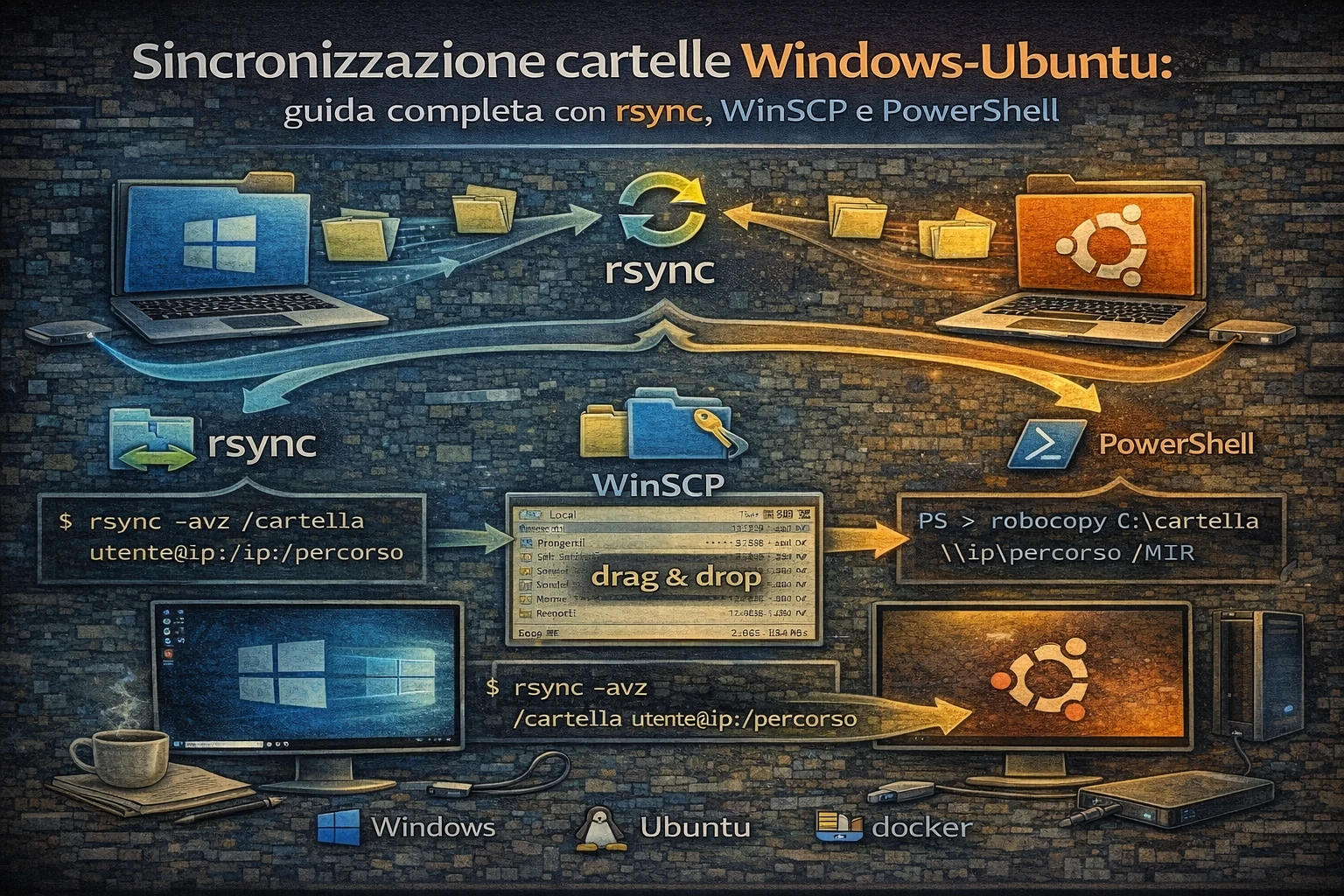
Sincronizzazione cartelle Windows-Ubuntu
La sincronizzazione di file tra Windows e server Linux è un’esigenza comune in ambienti misti o per backup automatizzati. Questa guida copre i metodi più efficaci per sincronizzare cartelle tra Windows e Ubuntu Server, dalle soluzioni GUI agli script automatizzati.
In questo articolo
- Configurazione server: setup sicuro SSH su Ubuntu Server
- Metodi di sincronizzazione: rsync, WinSCP, robocopy, PowerShell
- Automazione: script per sincronizzazione automatica
- Sicurezza: autenticazione SSH con chiavi pubbliche
- Monitoraggio: logging e notifiche di sincronizzazione
- Risoluzione problemi: troubleshooting essenziale
- Best practice: configurazioni solide per ambienti professionali
Indice della guida
Parte I - Configurazione base
- Prerequisiti e panoramica
- Configurazione Ubuntu Server
- Setup autenticazione SSH
- Configurazione Windows
Parte II - Metodi di sincronizzazione
- rsync con Windows Subsystem for Linux
- WinSCP per sincronizzazione GUI
- PowerShell con SSH
- Robocopy con Samba/CIFS
Parte III - Automazione avanzata
- Script PowerShell avanzati
- Integrazione con Task Scheduler
- Monitoraggio e logging
- Gestione errori e recovery
Parte IV - Configurazioni avanzate
- Sincronizzazione bidirezionale
- Compressione e limitazione banda
- Backup e versioning
- Hardening di sicurezza
Prerequisiti e panoramica
Architettura della soluzione
 1
 2
 3
 4
 5
 6
 7
 8
 9
10
11
12
13
14
15
16
17
18
19
|
┌─────────────────────────────────────────────────────────────┐
│                Windows Client Machine                       │
│  ┌─────────────┐  ┌──────────────┐  ┌─────────────────────┐ │
│  │ PowerShell  │  │    WinSCP    │  │  WSL + rsync        │ │
│  │   Scripts   │  │     GUI      │  │   (Linux tools)     │ │
│  └─────────────┘  └──────────────┘  └─────────────────────┘ │
│          │               │                      │           │
└──────────│───────────────│──────────────────────│───────────┘
           │               │                      │
           └───────────────┼──────────────────────┘
                          │ SSH/SCP/SFTP
                          │ (Port 22)
┌─────────────────────────▼───────────────────────────────────┐
│                Ubuntu Server                                │
│  ┌─────────────┐  ┌──────────────┐  ┌─────────────────────┐ │
│  │   OpenSSH   │  │    rsync     │  │   File System       │ │
│  │   Server    │  │   daemon     │  │   (ext4/xfs/etc.)   │ │
│  └─────────────┘  └──────────────┘  └─────────────────────┘ │
└─────────────────────────────────────────────────────────────┘
|
Prerequisiti tecnici
Windows Client:
- Windows 10/11 o Windows Server 2016+
- PowerShell 5.1+ (o PowerShell Core 7+)
- OpenSSH Client (Windows 10 1809+) o PuTTY suite
- WinSCP (per sincronizzazione GUI)
- Windows Subsystem for Linux (opzionale, per rsync nativo)
Ubuntu Server:
- Ubuntu Server 20.04 LTS+ o Ubuntu Desktop
- OpenSSH Server
- rsync (preinstallato)
- Accesso amministrativo (sudo)
Confronto metodi di sincronizzazione
| Metodo |
Velocità |
Facilità setup |
Automazione |
Uso banda |
Sicurezza |
| rsync (WSL) |
5/5 |
3/5 |
5/5 |
5/5 |
5/5 |
| WinSCP |
3/5 |
5/5 |
3/5 |
3/5 |
4/5 |
| PowerShell SSH |
4/5 |
2/5 |
5/5 |
4/5 |
5/5 |
| Robocopy+Samba |
4/5 |
2/5 |
4/5 |
3/5 |
3/5 |
Configurazione Ubuntu Server
Setup base sistema
1
2
3
4
5
6
7
8
9
|
# Aggiorna il sistema
sudo apt update && sudo apt upgrade -y

# Installa pacchetti essenziali
sudo apt install -y openssh-server rsync curl wget nano vim

# Verifica stato SSH server
sudo systemctl status ssh
sudo systemctl enable ssh
|
Creazione utente dedicato
 1
 2
 3
 4
 5
 6
 7
 8
 9
10
11
12
13
|
# Crea utente per sincronizzazione
sudo adduser syncuser

# Aggiungi a gruppo appropriati
sudo usermod -aG users syncuser

# Crea directory per file sincronizzati
sudo mkdir -p /srv/sync/{windows-backups,shared-folders,temp}
sudo chown -R syncuser:syncuser /srv/sync
sudo chmod 755 /srv/sync

# Verifica setup
ls -la /srv/sync
|
Configurazione SSH server
 1
 2
 3
 4
 5
 6
 7
 8
 9
10
11
12
13
14
15
16
17
18
19
20
21
22
23
24
25
26
27
28
29
|
# Backup configurazione originale
sudo cp /etc/ssh/sshd_config /etc/ssh/sshd_config.backup

# Configurazione SSH sicura
sudo tee -a /etc/ssh/sshd_config << 'EOF'

# Custom configuration for Windows sync
Match User syncuser
    ChrootDirectory /srv/sync
    ForceCommand internal-sftp
    AllowTcpForwarding no
    X11Forwarding no

# Security hardening
PermitRootLogin no
PasswordAuthentication yes
PubkeyAuthentication yes
AuthorizedKeysFile %h/.ssh/authorized_keys
MaxAuthTries 3
ClientAliveInterval 300
ClientAliveCountMax 2
EOF

# Riavvia SSH service
sudo systemctl restart ssh

# Verifica configurazione
sudo sshd -t
sudo ss -tlnp | grep :22
|
Configurazione firewall
 1
 2
 3
 4
 5
 6
 7
 8
 9
10
11
12
13
14
15
|
# Setup UFW (se non già configurato)
sudo ufw --force enable

# Consenti SSH
sudo ufw allow ssh
sudo ufw allow 22/tcp

# Verifica regole
sudo ufw status verbose

# Log delle connessioni SSH
sudo nano /etc/rsyslog.conf
# Aggiungi: auth,authpriv.*                /var/log/auth.log

sudo systemctl restart rsyslog
|
Setup autenticazione SSH
Generazione chiavi SSH su Windows
 1
 2
 3
 4
 5
 6
 7
 8
 9
10
11
12
13
14
15
|
# PowerShell - Generazione chiavi SSH
# Verifica se OpenSSH è installato
Get-WindowsCapability -Online | Where-Object Name -like 'OpenSSH*'

# Se necessario, installa OpenSSH Client
Add-WindowsCapability -Online -Name OpenSSH.Client~~~~0.0.1.0

# Genera coppia di chiavi SSH
ssh-keygen -t ed25519 -C "windows-sync-key" -f "$env:USERPROFILE\.ssh\ubuntu_sync_key"

# O per retrocompatibilità
ssh-keygen -t rsa -b 4096 -C "windows-sync-key" -f "$env:USERPROFILE\.ssh\ubuntu_sync_key"

# Verifica chiavi generate
Get-ChildItem "$env:USERPROFILE\.ssh\ubuntu_sync_key*"
|
Configurazione chiave pubblica su Ubuntu
 1
 2
 3
 4
 5
 6
 7
 8
 9
10
11
12
13
14
15
16
17
|
# Su Ubuntu Server - come utente syncuser
su - syncuser

# Crea directory .ssh se non esiste
mkdir -p ~/.ssh
chmod 700 ~/.ssh

# Aggiungi chiave pubblica (sostituisci con la tua chiave)
cat >> ~/.ssh/authorized_keys << 'EOF'
ssh-ed25519 AAAAC3NzaC1lZDI1NTE5AAAAIGxxxxxxxxxxxxxxxxxxxxxxxxxxxxxxxxxxxxxxxx windows-sync-key
EOF

# Imposta permessi corretti
chmod 600 ~/.ssh/authorized_keys

# Verifica setup
ls -la ~/.ssh/
|
Test connessione SSH
 1
 2
 3
 4
 5
 6
 7
 8
 9
10
11
12
13
14
15
16
17
18
19
20
21
22
|
# PowerShell - Test connessione
# Aggiungi host a known_hosts
ssh-keyscan -H your-server-ip >> "$env:USERPROFILE\.ssh\known_hosts"

# Test connessione con chiave privata
ssh -i "$env:USERPROFILE\.ssh\ubuntu_sync_key" syncuser@your-server-ip

# Test SFTP
sftp -i "$env:USERPROFILE\.ssh\ubuntu_sync_key" syncuser@your-server-ip

# Configurazione SSH client
@"
Host ubuntu-sync
    HostName your-server-ip
    User syncuser
    IdentityFile ~/.ssh/ubuntu_sync_key
    Port 22
    ServerAliveInterval 60
"@ | Out-File -FilePath "$env:USERPROFILE\.ssh\config" -Encoding utf8

# Test con configurazione
ssh ubuntu-sync
|
rsync con Windows Subsystem for Linux
Installazione WSL
 1
 2
 3
 4
 5
 6
 7
 8
 9
10
11
12
|
# PowerShell come Amministratore
# Abilita WSL
dism.exe /online /enable-feature /featurename:Microsoft-Windows-Subsystem-Linux /all /norestart

# Abilita Virtual Machine Platform
dism.exe /online /enable-feature /featurename:VirtualMachinePlatform /all /norestart

# Riavvia e poi installa Ubuntu
wsl --install -d Ubuntu-22.04

# Verifica installazione
wsl --list --verbose
|
Configurazione rsync in WSL
 1
 2
 3
 4
 5
 6
 7
 8
 9
10
11
12
13
14
15
16
17
|
# In WSL Ubuntu
# Aggiorna sistema
sudo apt update && sudo apt upgrade -y

# rsync è già installato, verifica
rsync --version

# Installa SSH client se necessario
sudo apt install openssh-client

# Copia chiave SSH da Windows a WSL
cp /mnt/c/Users/YourUsername/.ssh/ubuntu_sync_key* ~/.ssh/
chmod 600 ~/.ssh/ubuntu_sync_key
chmod 644 ~/.ssh/ubuntu_sync_key.pub

# Test connessione
ssh -i ~/.ssh/ubuntu_sync_key syncuser@your-server-ip
|
Script rsync avanzato
 1
 2
 3
 4
 5
 6
 7
 8
 9
10
11
12
13
14
15
16
17
18
19
20
21
22
23
24
25
26
27
28
29
30
31
32
33
34
35
36
37
38
39
40
41
42
43
44
45
46
47
48
49
50
51
52
53
54
55
56
57
58
59
60
61
62
63
64
65
66
67
68
69
70
71
72
73
74
75
76
77
78
79
80
81
82
83
84
85
86
87
88
89
90
91
92
93
94
95
96
97
98
99
|
#!/bin/bash
# sync_to_ubuntu.sh - Advanced rsync script for Windows-Ubuntu sync

# Configurazione
LOCAL_DIR="/mnt/c/Users/$(whoami)/Documents/SyncFolder"
REMOTE_HOST="your-server-ip"
REMOTE_USER="syncuser"
REMOTE_DIR="/srv/sync/windows-backups"
SSH_KEY="$HOME/.ssh/ubuntu_sync_key"
LOG_FILE="/mnt/c/temp/sync_log_$(date +%Y%m%d).log"

# Funzioni di utilità
log_message() {
    echo "$(date '+%Y-%m-%d %H:%M:%S') - $1" | tee -a "$LOG_FILE"
}

check_connectivity() {
    if ! ping -c 1 "$REMOTE_HOST" &> /dev/null; then
        log_message "ERROR: Cannot reach remote host $REMOTE_HOST"
        return 1
    fi

    if ! ssh -i "$SSH_KEY" -o ConnectTimeout=10 "$REMOTE_USER@$REMOTE_HOST" "echo 'Connection test successful'" &> /dev/null; then
        log_message "ERROR: SSH connection failed"
        return 1
    fi

    return 0
}

perform_sync() {
    local dry_run="$1"
    local rsync_opts="--archive --verbose --compress --human-readable --progress"

    if [ "$dry_run" = "true" ]; then
        rsync_opts="$rsync_opts --dry-run"
        log_message "PERFORMING DRY RUN"
    fi

    # Opzioni avanzate rsync
    rsync_opts="$rsync_opts --delete --backup --backup-dir=backup-$(date +%Y%m%d)"
    rsync_opts="$rsync_opts --exclude='*.tmp' --exclude='*.log' --exclude='Thumbs.db'"
    rsync_opts="$rsync_opts --stats --itemize-changes"

    # Esegui rsync
    rsync $rsync_opts \
        -e "ssh -i $SSH_KEY -o StrictHostKeyChecking=no" \
        "$LOCAL_DIR/" \
        "$REMOTE_USER@$REMOTE_HOST:$REMOTE_DIR/" \
        2>&1 | tee -a "$LOG_FILE"

    local exit_code=${PIPESTATUS[0]}

    if [ $exit_code -eq 0 ]; then
        log_message "SYNC COMPLETED SUCCESSFULLY"

        # Statistiche post-sync
        local remote_size=$(ssh -i "$SSH_KEY" "$REMOTE_USER@$REMOTE_HOST" "du -sh $REMOTE_DIR" 2>/dev/null | cut -f1)
        log_message "Remote directory size: $remote_size"

    else
        log_message "ERROR: Sync failed with exit code $exit_code"
        return $exit_code
    fi
}

# Verifica directory locale
if [ ! -d "$LOCAL_DIR" ]; then
    log_message "ERROR: Local directory $LOCAL_DIR does not exist"
    exit 1
fi

# Crea directory log se necessaria
mkdir -p "$(dirname "$LOG_FILE")"

log_message "Starting sync process"
log_message "Local directory: $LOCAL_DIR"
log_message "Remote: $REMOTE_USER@$REMOTE_HOST:$REMOTE_DIR"

# Controlla connettività
if ! check_connectivity; then
    log_message "Connectivity check failed, aborting"
    exit 1
fi

# Esegui sync (rimuovi "true" per eseguire sync reale)
if perform_sync "true"; then
    log_message "Dry run completed successfully"
    read -p "Proceed with actual sync? (y/N): " -n 1 -r
    echo
    if [[ $REPLY =~ ^[Yy]$ ]]; then
        perform_sync "false"
    fi
else
    log_message "Dry run failed"
    exit 1
fi

log_message "Sync process finished"
|
Wrapper PowerShell per rsync
  1
  2
  3
  4
  5
  6
  7
  8
  9
 10
 11
 12
 13
 14
 15
 16
 17
 18
 19
 20
 21
 22
 23
 24
 25
 26
 27
 28
 29
 30
 31
 32
 33
 34
 35
 36
 37
 38
 39
 40
 41
 42
 43
 44
 45
 46
 47
 48
 49
 50
 51
 52
 53
 54
 55
 56
 57
 58
 59
 60
 61
 62
 63
 64
 65
 66
 67
 68
 69
 70
 71
 72
 73
 74
 75
 76
 77
 78
 79
 80
 81
 82
 83
 84
 85
 86
 87
 88
 89
 90
 91
 92
 93
 94
 95
 96
 97
 98
 99
100
101
102
103
104
105
106
107
108
109
110
111
112
113
114
115
116
117
118
119
120
121
122
123
124
125
126
127
128
129
130
131
132
133
134
135
136
137
138
139
140
141
142
143
144
145
146
147
148
149
150
|
# sync_wrapper.ps1 - PowerShell wrapper for WSL rsync
param(
    [string]$LocalPath = "$env:USERPROFILE\Documents\SyncFolder",
    [string]$RemoteHost = "your-server-ip",
    [string]$RemoteUser = "syncuser",
    [string]$RemotePath = "/srv/sync/windows-backups",
    [switch]$DryRun = $false,
    [switch]$Verbose = $false
)

# Configurazione
$LogPath = "$env:TEMP\rsync_sync_$(Get-Date -Format 'yyyyMMdd_HHmmss').log"
$WSLSyncScript = "/tmp/sync_to_ubuntu.sh"

function Write-Log {
    param([string]$Message, [string]$Level = "INFO")
    $timestamp = Get-Date -Format "yyyy-MM-dd HH:mm:ss"
    $logMessage = "[$timestamp] [$Level] $Message"
    Write-Output $logMessage
    Add-Content -Path $LogPath -Value $logMessage
}

function Test-Prerequisites {
    Write-Log "Checking prerequisites..."

    # Check WSL
    try {
        $wslVersion = wsl --status 2>$null
        if ($LASTEXITCODE -ne 0) {
            Write-Log "WSL not available" "ERROR"
            return $false
        }
        Write-Log "WSL available"
    }
    catch {
        Write-Log "WSL check failed: $($_.Exception.Message)" "ERROR"
        return $false
    }

    # Check local directory
    if (!(Test-Path $LocalPath)) {
        Write-Log "Local path does not exist: $LocalPath" "ERROR"
        return $false
    }

    # Convert Windows path to WSL path
    $script:WSLLocalPath = $LocalPath -replace '^([A-Z]):', '/mnt/$1' -replace '\\', '/' | ForEach-Object { $_.ToLower() }
    Write-Log "WSL local path: $WSLLocalPath"

    return $true
}

function Create-SyncScript {
    $syncScriptContent = @"
#!/bin/bash
set -e

LOCAL_DIR="$WSLLocalPath"
REMOTE_HOST="$RemoteHost"
REMOTE_USER="$RemoteUser"
REMOTE_DIR="$RemotePath"
SSH_KEY="\$HOME/.ssh/ubuntu_sync_key"
DRY_RUN="$($DryRun.ToString().ToLower())"

echo "=== rsync Sync Started ==="
echo "Local: \$LOCAL_DIR"
echo "Remote: \$REMOTE_USER@\$REMOTE_HOST:\$REMOTE_DIR"
echo "Dry run: \$DRY_RUN"

# rsync options
RSYNC_OPTS="--archive --verbose --compress --human-readable --progress"
RSYNC_OPTS="\$RSYNC_OPTS --delete --backup --backup-dir=backup-\$(date +%Y%m%d_%H%M%S)"
RSYNC_OPTS="\$RSYNC_OPTS --exclude='*.tmp' --exclude='*.log' --exclude='Thumbs.db' --exclude='.DS_Store'"
RSYNC_OPTS="\$RSYNC_OPTS --stats --itemize-changes"

if [ "\$DRY_RUN" = "true" ]; then
    RSYNC_OPTS="\$RSYNC_OPTS --dry-run"
    echo "PERFORMING DRY RUN"
fi

# Execute rsync
rsync \$RSYNC_OPTS \\
    -e "ssh -i \$SSH_KEY -o StrictHostKeyChecking=no -o ConnectTimeout=30" \\
    "\$LOCAL_DIR/" \\
    "\$REMOTE_USER@\$REMOTE_HOST:\$REMOTE_DIR/"

echo "=== Sync Completed ==="
"@

    # Create script in WSL
    $syncScriptContent | wsl bash -c "cat > $WSLSyncScript && chmod +x $WSLSyncScript"
    Write-Log "Sync script created: $WSLSyncScript"
}

function Invoke-Sync {
    Write-Log "Starting sync operation..."

    try {
        # Execute sync script in WSL
        wsl bash $WSLSyncScript 2>&1 | Tee-Object -FilePath $LogPath -Append

        if ($LASTEXITCODE -eq 0) {
            Write-Log "Sync completed successfully"

            # Show summary
            $logContent = Get-Content $LogPath
            $transferredFiles = ($logContent | Select-String "Number of files transferred:").Line
            $totalSize = ($logContent | Select-String "Total transferred file size:").Line

            if ($transferredFiles) { Write-Log $transferredFiles }
            if ($totalSize) { Write-Log $totalSize }

            return $true
        }
        else {
            Write-Log "Sync failed with exit code: $LASTEXITCODE" "ERROR"
            return $false
        }
    }
    catch {
        Write-Log "Sync execution failed: $($_.Exception.Message)" "ERROR"
        return $false
    }
}

# Main execution
Write-Log "Starting Windows-Ubuntu sync process"
Write-Log "Log file: $LogPath"

if (!(Test-Prerequisites)) {
    Write-Log "Prerequisites check failed" "ERROR"
    exit 1
}

Create-SyncScript

if (Invoke-Sync) {
    Write-Log "Sync process completed successfully"

    # Open log file if verbose
    if ($Verbose) {
        Start-Process notepad.exe -ArgumentList $LogPath
    }
}
else {
    Write-Log "Sync process failed" "ERROR"
    exit 1
}

Write-Log "Script execution finished"
|
WinSCP per sincronizzazione GUI
Installazione e configurazione WinSCP
 1
 2
 3
 4
 5
 6
 7
 8
 9
10
|
# PowerShell - Installazione WinSCP via Chocolatey
Set-ExecutionPolicy Bypass -Scope Process -Force
[System.Net.ServicePointManager]::SecurityProtocol = [System.Net.ServicePointManager]::SecurityProtocol -bor 3072
iex ((New-Object System.Net.WebClient).DownloadString('https://community.chocolatey.org/install.ps1'))

# Installa WinSCP
choco install winscp -y

# Verifica installazione
Get-Command WinSCP.exe -ErrorAction SilentlyContinue
|
Script PowerShell con WinSCP .NET Assembly
  1
  2
  3
  4
  5
  6
  7
  8
  9
 10
 11
 12
 13
 14
 15
 16
 17
 18
 19
 20
 21
 22
 23
 24
 25
 26
 27
 28
 29
 30
 31
 32
 33
 34
 35
 36
 37
 38
 39
 40
 41
 42
 43
 44
 45
 46
 47
 48
 49
 50
 51
 52
 53
 54
 55
 56
 57
 58
 59
 60
 61
 62
 63
 64
 65
 66
 67
 68
 69
 70
 71
 72
 73
 74
 75
 76
 77
 78
 79
 80
 81
 82
 83
 84
 85
 86
 87
 88
 89
 90
 91
 92
 93
 94
 95
 96
 97
 98
 99
100
101
102
103
104
105
106
107
108
109
110
111
112
113
114
115
116
117
118
119
120
121
122
123
124
125
126
127
128
129
130
131
132
133
134
135
136
137
138
139
140
141
142
143
144
145
146
147
148
149
150
151
152
153
154
155
156
157
158
159
160
161
162
163
164
165
166
167
168
169
170
171
172
173
174
175
176
177
178
179
180
181
182
183
184
185
186
187
188
189
190
191
192
193
194
195
196
197
198
199
200
201
202
203
|
# winscp_sync.ps1 - Advanced WinSCP synchronization script

# Scarica e installa WinSCP .NET assembly se necessario
$WinSCPPath = "$env:ProgramFiles\WinSCP"
$WinSCPAssembly = "$WinSCPPath\WinSCPnet.dll"

if (!(Test-Path $WinSCPAssembly)) {
    Write-Host "WinSCP .NET assembly not found. Please install WinSCP." -ForegroundColor Red
    exit 1
}

# Carica assembly
Add-Type -Path $WinSCPAssembly

# Configurazione
$LocalPath = "$env:USERPROFILE\Documents\SyncFolder"
$RemoteHost = "your-server-ip"
$RemoteUser = "syncuser"
$RemotePath = "/srv/sync/windows-backups"
$PrivateKeyPath = "$env:USERPROFILE\.ssh\ubuntu_sync_key.ppk"  # PuTTY format
$LogPath = "$env:TEMP\winscp_sync_$(Get-Date -Format 'yyyyMMdd_HHmmss').log"

function Write-Log {
    param([string]$Message, [string]$Level = "INFO")
    $timestamp = Get-Date -Format "yyyy-MM-dd HH:mm:ss"
    $logMessage = "[$timestamp] [$Level] $Message"
    Write-Host $logMessage
    Add-Content -Path $LogPath -Value $logMessage
}

function Convert-OpenSSHKeyToPuTTY {
    param([string]$OpenSSHKeyPath, [string]$PuTTYKeyPath)

    $puttyGenPath = "${env:ProgramFiles}\PuTTY\puttygen.exe"
    if (Test-Path $puttyGenPath) {
        Write-Log "Converting OpenSSH key to PuTTY format..."
        & $puttyGenPath $OpenSSHKeyPath -o $PuTTYKeyPath -O private
        return $true
    }
    else {
        Write-Log "PuTTY not found. Please install PuTTY or convert key manually." "ERROR"
        return $false
    }
}

function Invoke-WinSCPSync {
    param(
        [bool]$DryRun = $false,
        [WinSCP.SynchronizationMode]$SyncMode = [WinSCP.SynchronizationMode]::Remote
    )

    try {
        # Setup session options
        $sessionOptions = New-Object WinSCP.SessionOptions -Property @{
            Protocol = [WinSCP.Protocol]::Sftp
            HostName = $RemoteHost
            UserName = $RemoteUser
            SshPrivateKeyPath = $PrivateKeyPath
            SshHostKeyPolicy = [WinSCP.SshHostKeyPolicy]::AcceptNew
            Timeout = [System.TimeSpan]::FromSeconds(30)
        }

        # Create session
        $session = New-Object WinSCP.Session

        # Enable logging
        $session.SessionLogPath = $LogPath.Replace('.log', '_winscp.log')

        # Connect
        Write-Log "Connecting to $RemoteHost..."
        $session.Open($sessionOptions)
        Write-Log "Connected successfully"

        # Synchronization options
        $syncOptions = New-Object WinSCP.SynchronizationOptions -Property @{
            DeleteObsolete = $true
            ExcludeFileMask = "*.tmp; *.log; Thumbs.db; .DS_Store"
            PreserveTimestamp = $true
            Mirror = New-Object WinSCP.SynchronizationMirrorOptions -Property @{
                VerifyChecksums = $true
            }
        }

        if ($DryRun) {
            Write-Log "PERFORMING DRY RUN"
            $syncOptions.Preview = $true
        }

        # Perform synchronization
        Write-Log "Starting synchronization..."
        Write-Log "Local: $LocalPath"
        Write-Log "Remote: $RemotePath"
        Write-Log "Mode: $SyncMode"

        $syncResult = $session.SynchronizeDirectories($SyncMode, $LocalPath, $RemotePath, $syncOptions)

        # Process results
        if ($syncResult.IsSuccess) {
            Write-Log "Synchronization completed successfully"
            Write-Log "Files transferred: $($syncResult.Transfers.Count)"

            # Log transfer details
            foreach ($transfer in $syncResult.Transfers) {
                Write-Log "Transferred: $($transfer.FileName) ($($transfer.Size) bytes)"
            }

            # Log removals
            foreach ($removal in $syncResult.Removals) {
                Write-Log "Removed: $($removal.FileName)"
            }
        }
        else {
            Write-Log "Synchronization failed" "ERROR"
            foreach ($failure in $syncResult.Failures) {
                Write-Log "Failure: $($failure.Message)" "ERROR"
            }
        }

        return $syncResult.IsSuccess
    }
    catch [System.Exception] {
        Write-Log "WinSCP error: $($_.Exception.Message)" "ERROR"
        return $false
    }
    finally {
        if ($session) {
            $session.Dispose()
            Write-Log "Session closed"
        }
    }
}

function Test-Prerequisites {
    Write-Log "Checking prerequisites..."

    # Check local path
    if (!(Test-Path $LocalPath)) {
        Write-Log "Local path does not exist: $LocalPath" "ERROR"
        return $false
    }

    # Check/convert SSH key
    $openSSHKey = $PrivateKeyPath -replace '\.ppk$', ''
    if (!(Test-Path $PrivateKeyPath) -and (Test-Path $openSSHKey)) {
        if (!(Convert-OpenSSHKeyToPuTTY $openSSHKey $PrivateKeyPath)) {
            return $false
        }
    }
    elseif (!(Test-Path $PrivateKeyPath)) {
        Write-Log "Private key not found: $PrivateKeyPath" "ERROR"
        return $false
    }

    Write-Log "Prerequisites check passed"
    return $true
}

# Main execution
Write-Log "Starting WinSCP synchronization"
Write-Log "Log file: $LogPath"

if (!(Test-Prerequisites)) {
    Write-Log "Prerequisites check failed" "ERROR"
    exit 1
}

# Ask for sync mode
Write-Host "Select synchronization mode:"
Write-Host "1. Remote (Upload local changes to server) - Default"
Write-Host "2. Local (Download server changes to local)"
Write-Host "3. Both (Bidirectional sync)"

$choice = Read-Host "Enter choice (1-3, default is 1)"

$syncMode = switch ($choice) {
    "2" { [WinSCP.SynchronizationMode]::Local }
    "3" { [WinSCP.SynchronizationMode]::Both }
    default { [WinSCP.SynchronizationMode]::Remote }
}

# Perform dry run first
Write-Log "Performing dry run..."
if (Invoke-WinSCPSync -DryRun $true -SyncMode $syncMode) {
    $proceed = Read-Host "Dry run completed. Proceed with actual sync? (y/N)"
    if ($proceed -eq 'y' -or $proceed -eq 'Y') {
        if (Invoke-WinSCPSync -DryRun $false -SyncMode $syncMode) {
            Write-Log "Synchronization process completed successfully"
        }
        else {
            Write-Log "Synchronization failed" "ERROR"
            exit 1
        }
    }
    else {
        Write-Log "Synchronization cancelled by user"
    }
}
else {
    Write-Log "Dry run failed" "ERROR"
    exit 1
}

Write-Log "Script execution finished"
|
Conclusioni
Risorse per approfondire
Best practice finali
Consigli per sincronizzazione aziendale
- Testa sempre in ambiente di sviluppo prima della produzione
- Monitora le prestazioni e ottimizza i trasferimenti
- Implementa logging completo per audit e risoluzione problemi
- Usa compressione per risparmiare banda su connessioni lente
- Pianifica backup prima di sincronizzazioni importanti
- Documenta la configurazione per il team
- Attiva avvisi per fallimenti di sincronizzazione
- Mantieni aggiornate le chiavi SSH e le credenziali
La sincronizzazione tra Windows e Ubuntu può essere semplice o sofisticata quanto richiesto dalle tue esigenze. Con questa guida hai tutti gli strumenti per implementare una soluzione robusta e scalabile.