Contenuti


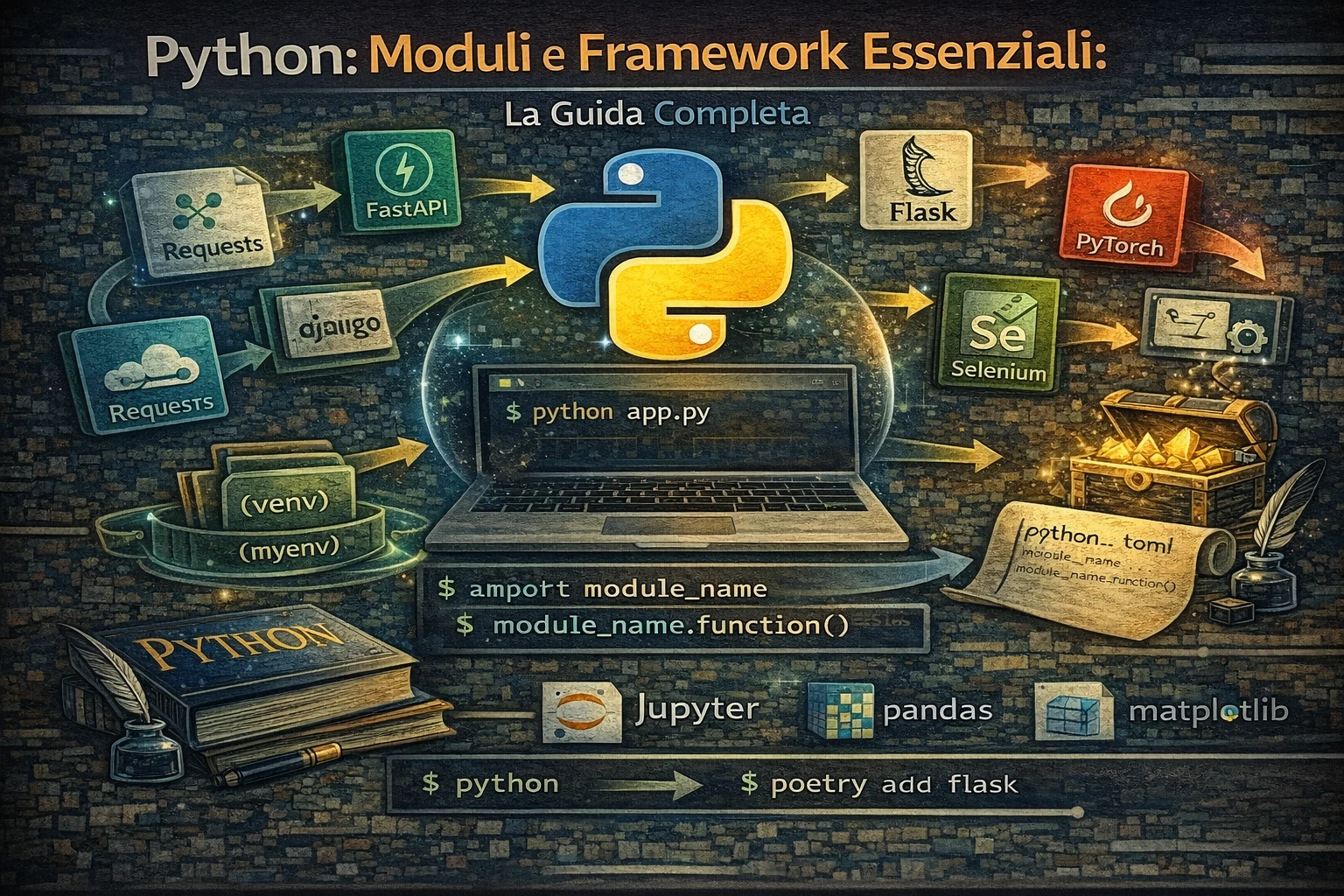
Python: Moduli e Framework Essenziali

Librerie e framework Python indispensabili per ogni sviluppatore


Contenuti

Python: moduli e framework essenziali

Python deve gran parte della sua popolarita al ricchissimo ecosistema di librerie e framework disponibili. Questa guida ti presenta i moduli piu utili e i framework indispensabili per ogni area di sviluppo, dalla programmazione web all’apprendimento automatico, dall’automazione all’analisi dati.

In questo articolo
  • Librerie standard: moduli built-in piu potenti di Python
  • Framework web: Django, Flask, FastAPI per sviluppo web moderno
  • Scienza dei dati: NumPy, Pandas, Matplotlib per analisi dati
  • Apprendimento automatico: Scikit-learn, TensorFlow, PyTorch
  • Automazione: Selenium, Beautiful Soup, Requests per web scraping
  • Strumenti di sviluppo: testing, debugging, packaging, distribuzione
  • Esempi pratici per ogni libreria con codice funzionante

Indice della guida

Librerie standard Python

  1. Moduli built-in essenziali
  2. Gestione file e directory
  3. Networking e web
  4. Data e ora
  5. Logging e debugging

Sviluppo web

  1. Framework web full-stack
  2. Django - il framework web completo
  3. Flask - micro-framework flessibile
  4. FastAPI - framework moderno per API
  5. Sviluppo API
  6. Motori template

Scienza dei dati e analisi

  1. Manipolazione dati
  2. Visualizzazione
  3. Analisi statistica
  4. Database e ORM

Apprendimento automatico e IA

  1. Librerie di apprendimento automatico
  2. Scikit-learn - ML Completo
  3. TensorFlow/Keras - Apprendimento profondo
  4. Computer vision
  5. Elaborazione del linguaggio naturale

Automazione e scripting

  1. Web scraping e automazione
  2. Beautiful Soup - parsing HTML
  3. Selenium - automazione browser
  4. Sviluppo GUI
  5. Automazione task

Strumenti di sviluppo

  1. Framework di testing
  2. Packaging e distribuzione
  3. Prestazioni e profiling

Librerie standard Python

Moduli built-in essenziali

collections - strutture dati specializzate

 1
 2
 3
 4
 5
 6
 7
 8
 9
10
11
12
13
14
15
16
17
18
19
20
21
22
23
from collections import defaultdict, Counter, deque, namedtuple

# defaultdict - dizionario con valori di default
dd = defaultdict(list)
dd['frutti'].append('mela')
dd['frutti'].append('banana')
print(dd['frutti'])  # ['mela', 'banana']

# Counter - contatore per elementi iterabili
text = "hello world"
counter = Counter(text)
print(counter.most_common(3))  # [('l', 3), ('o', 2), ('h', 1)]

# deque - lista con operazioni efficienti agli estremi
queue = deque(['a', 'b', 'c'])
queue.appendleft('START')
queue.append('END')
print(queue)  # deque(['START', 'a', 'b', 'c', 'END'])

# namedtuple - tupla con campi denominati
Person = namedtuple('Person', ['name', 'age', 'city'])
mario = Person('Mario', 30, 'Milano')
print(f"{mario.name} ha {mario.age} anni")

itertools - iteratori avanzati

 1
 2
 3
 4
 5
 6
 7
 8
 9
10
11
12
13
14
15
16
17
18
19
20
21
22
23
24
import itertools

# Combinazioni e permutazioni
colors = ['red', 'green', 'blue']
print(list(itertools.combinations(colors, 2)))
# [('red', 'green'), ('red', 'blue'), ('green', 'blue')]

print(list(itertools.permutations(colors, 2)))
# [('red', 'green'), ('red', 'blue'), ('green', 'red'), ...]

# Prodotto cartesiano
sizes = ['S', 'M', 'L']
variants = list(itertools.product(colors, sizes))
print(variants[:3])  # [('red', 'S'), ('red', 'M'), ('red', 'L')]

# Ciclo infinito
counter = itertools.count(1, 2)  # 1, 3, 5, 7, ...
first_5_odd = list(itertools.islice(counter, 5))
print(first_5_odd)  # [1, 3, 5, 7, 9]

# Raggruppamento
data = [('A', 1), ('A', 2), ('B', 3), ('B', 4), ('C', 5)]
for key, group in itertools.groupby(data, key=lambda x: x[0]):
    print(f"{key}: {list(group)}")

functools - programmazione funzionale

 1
 2
 3
 4
 5
 6
 7
 8
 9
10
11
12
13
14
15
16
17
18
19
20
21
22
23
24
25
from functools import lru_cache, partial, reduce

# Cache LRU per ottimizzazione performance
@lru_cache(maxsize=128)
def fibonacci(n):
    if n <= 1:
        return n
    return fibonacci(n-1) + fibonacci(n-2)

print([fibonacci(i) for i in range(10)])

# Partial - funzioni con parametri preconfigurati
def multiply(x, y):
    return x * y

double = partial(multiply, 2)
triple = partial(multiply, 3)

print(double(5))  # 10
print(triple(5))  # 15

# Reduce per aggregazioni
numbers = [1, 2, 3, 4, 5]
total = reduce(lambda x, y: x + y, numbers)
print(total)  # 15

Gestione file e directory

pathlib - gestione percorsi moderna

 1
 2
 3
 4
 5
 6
 7
 8
 9
10
11
12
13
14
15
16
17
18
19
20
21
22
23
24
25
from pathlib import Path
import shutil

# Creazione e navigazione percorsi
project_dir = Path.cwd()
data_dir = project_dir / "data"
config_file = project_dir / "config.json"

# Operazioni sui file
if not data_dir.exists():
    data_dir.mkdir(parents=True)

# Informazioni sui file
file_path = Path("example.txt")
if file_path.exists():
    print(f"Size: {file_path.stat().st_size} bytes")
    print(f"Modified: {file_path.stat().st_mtime}")

# Iterazione su directory
for py_file in Path(".").rglob("*.py"):
    print(py_file.name)

# Lettura e scrittura semplificata
config_file.write_text('{"debug": true}')
content = config_file.read_text()

shutil - operazioni file avanzate

 1
 2
 3
 4
 5
 6
 7
 8
 9
10
11
12
13
14
15
16
17
18
19
20
import shutil
import zipfile

# Copiare file e directory
shutil.copy2("source.txt", "destination.txt")  # Con metadati
shutil.copytree("source_dir", "backup_dir")    # Directory ricorsiva

# Spostare file
shutil.move("old_location.txt", "new_location.txt")

# Archiviazione
shutil.make_archive("backup", "zip", "data_folder")

# Spazio disco
usage = shutil.disk_usage("/")
print(f"Free space: {usage.free / (1024**3):.2f} GB")

# Trovare eseguibili
git_path = shutil.which("git")
print(f"Git found at: {git_path}")

Networking e web

urllib - client HTTP built-in

 1
 2
 3
 4
 5
 6
 7
 8
 9
10
11
12
13
14
15
16
17
18
19
20
import urllib.request
import urllib.parse
import json

# Richieste HTTP GET
response = urllib.request.urlopen("https://api.github.com/users/octocat")
data = json.loads(response.read().decode())
print(f"GitHub user: {data['name']}")

# Richieste POST
url = "https://httpbin.org/post"
data = urllib.parse.urlencode({"key": "value"}).encode()
req = urllib.request.Request(url, data=data)
response = urllib.request.urlopen(req)

# Gestione errori HTTP
try:
    response = urllib.request.urlopen("https://httpbin.org/status/404")
except urllib.error.HTTPError as e:
    print(f"HTTP Error: {e.code}")

email - gestione email

 1
 2
 3
 4
 5
 6
 7
 8
 9
10
11
12
13
14
15
16
17
18
19
20
21
22
23
24
25
26
27
28
29
30
31
32
33
34
35
36
37
import smtplib
from email.mime.text import MIMEText
from email.mime.multipart import MIMEMultipart
from email.mime.base import MIMEBase
from email import encoders

def send_email(smtp_server, port, username, password, to_email, subject, body, attachment=None):
    """Invia email con allegato opzionale"""

    msg = MIMEMultipart()
    msg['From'] = username
    msg['To'] = to_email
    msg['Subject'] = subject

    # Corpo del messaggio
    msg.attach(MIMEText(body, 'plain'))

    # Allegato opzionale
    if attachment:
        with open(attachment, "rb") as attach:
            part = MIMEBase('application', 'octet-stream')
            part.set_payload(attach.read())

        encoders.encode_base64(part)
        part.add_header('Content-Disposition', f'attachment; filename= {attachment}')
        msg.attach(part)

    # Invio email
    server = smtplib.SMTP(smtp_server, port)
    server.starttls()
    server.login(username, password)
    server.send_message(msg)
    server.quit()

# Esempio utilizzo
# send_email("smtp.gmail.com", 587, "user@gmail.com", "password",
#           "recipient@email.com", "Test Subject", "Test Body")

Data e ora

datetime - gestione date e orari

 1
 2
 3
 4
 5
 6
 7
 8
 9
10
11
12
13
14
15
16
17
18
19
20
21
22
23
24
25
26
27
28
29
30
31
from datetime import datetime, timedelta, timezone
import calendar

# Creazione e formattazione date
now = datetime.now()
utc_now = datetime.now(timezone.utc)

# Parsing da stringa
date_string = "2024-11-16 14:30:00"
parsed_date = datetime.strptime(date_string, "%Y-%m-%d %H:%M:%S")

# Formattazione personalizzata
formatted = now.strftime("%A %d %B %Y alle %H:%M")
print(formatted)  # "Sabato 16 Novembre 2024 alle 14:30"

# Calcoli con date
tomorrow = now + timedelta(days=1)
week_ago = now - timedelta(weeks=1)
next_month = now + timedelta(days=30)

# Differenze tra date
duration = tomorrow - now
print(f"Ore fino a domani: {duration.total_seconds() / 3600}")

# Lavorare con timezone
rome_tz = timezone(timedelta(hours=1))
rome_time = now.replace(tzinfo=rome_tz)

# Utilità calendario
print(f"Giorni in novembre 2024: {calendar.monthrange(2024, 11)[1]}")
print(f"È bisestile il 2024? {calendar.isleap(2024)}")

Logging e debugging

logging - sistema di logging professionale

 1
 2
 3
 4
 5
 6
 7
 8
 9
10
11
12
13
14
15
16
17
18
19
20
21
22
23
24
25
26
27
28
29
30
31
32
33
34
35
36
37
38
39
40
41
42
43
44
45
46
47
48
49
50
51
52
53
54
55
56
import logging
import logging.handlers
from pathlib import Path

# Configurazione logging avanzata
def setup_logging():
    # Creare logger
    logger = logging.getLogger('MyApp')
    logger.setLevel(logging.DEBUG)

    # Formato personalizzato
    formatter = logging.Formatter(
        '%(asctime)s - %(name)s - %(levelname)s - %(message)s'
    )

    # Handler per console
    console_handler = logging.StreamHandler()
    console_handler.setLevel(logging.INFO)
    console_handler.setFormatter(formatter)

    # Handler per file con rotazione
    log_dir = Path("logs")
    log_dir.mkdir(exist_ok=True)

    file_handler = logging.handlers.RotatingFileHandler(
        log_dir / "app.log",
        maxBytes=1024*1024,  # 1MB
        backupCount=5
    )
    file_handler.setLevel(logging.DEBUG)
    file_handler.setFormatter(formatter)

    # Aggiungere handler al logger
    logger.addHandler(console_handler)
    logger.addHandler(file_handler)

    return logger

# Utilizzo del logger
logger = setup_logging()

def divide_numbers(a, b):
    logger.debug(f"Dividendo {a} per {b}")
    try:
        result = a / b
        logger.info(f"Operazione completata: {a}/{b} = {result}")
        return result
    except ZeroDivisionError:
        logger.error("Tentativo di divisione per zero!")
        raise
    except Exception as e:
        logger.critical(f"Errore inaspettato: {e}")
        raise

# Test
divide_numbers(10, 2)

Framework web full-stack

Django - il framework web completo

 1
 2
 3
 4
 5
 6
 7
 8
 9
10
11
12
13
14
15
16
17
18
19
20
21
22
23
24
25
26
27
28
29
30
31
32
33
34
35
36
37
38
39
40
41
42
43
44
45
46
47
48
49
50
51
52
53
# Esempio modello Django
from django.db import models
from django.contrib.auth.models import User
from django.urls import reverse

class Category(models.Model):
    name = models.CharField(max_length=100)
    slug = models.SlugField(unique=True)
    description = models.TextField(blank=True)

    class Meta:
        verbose_name_plural = "Categories"

    def __str__(self):
        return self.name

class Post(models.Model):
    title = models.CharField(max_length=200)
    slug = models.SlugField(unique=True)
    author = models.ForeignKey(User, on_delete=models.CASCADE)
    content = models.TextField()
    category = models.ForeignKey(Category, on_delete=models.CASCADE)
    created_at = models.DateTimeField(auto_now_add=True)
    updated_at = models.DateTimeField(auto_now=True)
    published = models.BooleanField(default=False)

    class Meta:
        ordering = ['-created_at']

    def get_absolute_url(self):
        return reverse('post-detail', kwargs={'slug': self.slug})

# Views.py
from django.shortcuts import render, get_object_or_404
from django.core.paginator import Paginator
from django.db.models import Q

def post_list(request):
    posts = Post.objects.filter(published=True).select_related('category', 'author')

    # Ricerca
    query = request.GET.get('q')
    if query:
        posts = posts.filter(
            Q(title__icontains=query) | Q(content__icontains=query)
        )

    # Paginazione
    paginator = Paginator(posts, 10)
    page = request.GET.get('page')
    posts = paginator.get_page(page)

    return render(request, 'blog/post_list.html', {'posts': posts})

Caratteristiche Django:

  • ORM potente con migrazioni automatiche
  • Admin interface auto-generata
  • Sistema di autenticazione completo
  • Template engine con ereditarietà
  • Middleware per funzionalità trasversali
  • Sicurezza built-in (CSRF, XSS protection)

Flask - micro-framework flessibile

 1
 2
 3
 4
 5
 6
 7
 8
 9
10
11
12
13
14
15
16
17
18
19
20
21
22
23
24
25
26
27
28
29
30
31
32
33
34
35
36
37
38
39
40
41
42
43
44
45
46
47
48
49
50
51
52
53
54
55
from flask import Flask, render_template, request, jsonify, session
from flask_sqlalchemy import SQLAlchemy
from flask_jwt_extended import JWTManager, create_access_token, jwt_required
from werkzeug.security import generate_password_hash, check_password_hash

app = Flask(__name__)
app.config['SECRET_KEY'] = 'your-secret-key'
app.config['SQLALCHEMY_DATABASE_URI'] = 'sqlite:///blog.db'

db = SQLAlchemy(app)
jwt = JWTManager(app)

# Modello
class User(db.Model):
    id = db.Column(db.Integer, primary_key=True)
    username = db.Column(db.String(80), unique=True, nullable=False)
    email = db.Column(db.String(120), unique=True, nullable=False)
    password_hash = db.Column(db.String(200), nullable=False)

    def set_password(self, password):
        self.password_hash = generate_password_hash(password)

    def check_password(self, password):
        return check_password_hash(self.password_hash, password)

# Routes
@app.route('/api/register', methods=['POST'])
def register():
    data = request.get_json()

    if User.query.filter_by(username=data['username']).first():
        return jsonify({'error': 'Username already exists'}), 400

    user = User(username=data['username'], email=data['email'])
    user.set_password(data['password'])

    db.session.add(user)
    db.session.commit()

    access_token = create_access_token(identity=user.id)
    return jsonify({'access_token': access_token})

@app.route('/api/protected', methods=['GET'])
@jwt_required()
def protected():
    return jsonify({'message': 'This is a protected route'})

@app.route('/')
def index():
    return render_template('index.html')

if __name__ == '__main__':
    with app.app_context():
        db.create_all()
    app.run(debug=True)

FastAPI - framework moderno per API

 1
 2
 3
 4
 5
 6
 7
 8
 9
10
11
12
13
14
15
16
17
18
19
20
21
22
23
24
25
26
27
28
29
30
31
32
33
34
35
36
37
38
39
40
41
42
43
44
45
46
47
48
49
50
51
52
53
54
55
56
57
58
59
60
61
62
63
64
65
66
67
68
69
70
71
72
73
74
75
from fastapi import FastAPI, HTTPException, Depends, status
from fastapi.security import HTTPBearer, HTTPAuthorizationCredentials
from pydantic import BaseModel, EmailStr
from typing import List, Optional
import asyncio
import aiofiles

app = FastAPI(title="Blog API", version="1.0.0")
security = HTTPBearer()

# Modelli Pydantic
class UserCreate(BaseModel):
    username: str
    email: EmailStr
    password: str

class UserResponse(BaseModel):
    id: int
    username: str
    email: str

    class Config:
        from_attributes = True

class PostCreate(BaseModel):
    title: str
    content: str
    category_id: int

class PostResponse(BaseModel):
    id: int
    title: str
    content: str
    author_id: int
    created_at: str

    class Config:
        from_attributes = True

# Dependency per autenticazione
async def get_current_user(credentials: HTTPAuthorizationCredentials = Depends(security)):
    # Logica di verifica JWT token
    if not verify_token(credentials.credentials):
        raise HTTPException(status_code=401, detail="Invalid token")
    return get_user_from_token(credentials.credentials)

# Endpoints asincroni
@app.post("/users/", response_model=UserResponse)
async def create_user(user: UserCreate):
    # Simulazione creazione utente asincrona
    await asyncio.sleep(0.1)  # Simula operazione DB asincrona
    return {"id": 1, "username": user.username, "email": user.email}

@app.get("/posts/", response_model=List[PostResponse])
async def get_posts(skip: int = 0, limit: int = 10):
    # Simulazione query database asincrona
    await asyncio.sleep(0.1)
    return [
        {"id": 1, "title": "First Post", "content": "Content", "author_id": 1, "created_at": "2024-01-01"}
    ]

@app.post("/posts/", response_model=PostResponse)
async def create_post(post: PostCreate, current_user: dict = Depends(get_current_user)):
    # Post creation logic
    return {"id": 1, "title": post.title, "content": post.content,
           "author_id": current_user["id"], "created_at": "2024-01-01"}

# File upload asincrono
@app.post("/upload/")
async def upload_file(file: bytes):
    async with aiofiles.open(f"uploads/{file.filename}", 'wb') as f:
        await f.write(file)
    return {"message": "File uploaded successfully"}

# Documentazione automatica disponibile su /docs

Vantaggi FastAPI:

  • Validazione automatica con Pydantic
  • Documentazione OpenAPI auto-generata
  • Performance elevate con supporto asincrono
  • Type hints nativi per better IDE support
  • Dependency injection system avanzato

Sviluppo API

Lo sviluppo API richiede attenzione a contratto, versioni, autenticazione e prestazioni. In Python, oltre a FastAPI, sono comuni:

  • Django REST Framework per progetti Django
  • Flask-RESTX per REST su Flask
  • Pydantic o Marshmallow per validazione payload

Esempio minimale con FastAPI:

1
2
3
4
5
6
7
from fastapi import FastAPI

app = FastAPI()

@app.get("/health")
def health():
    return {"status": "ok"}

Motori template

I motori template servono per generare HTML o documenti con dati dinamici. I piu usati:

  • Jinja2 (generico e molto diffuso)
  • Django Templates (integrato in Django)
  • Mako (alternativa leggera)

Esempio semplice con Jinja2:

1
2
3
4
from jinja2 import Template

template = Template("Ciao {{ name }}!")
print(template.render(name="Gianluca"))

Scienza dei dati e analisi

Manipolazione dati

Pandas - analisi dati strutturati

 1
 2
 3
 4
 5
 6
 7
 8
 9
10
11
12
13
14
15
16
17
18
19
20
21
22
23
24
25
26
27
28
29
30
31
32
33
34
35
36
37
38
39
40
41
42
43
44
45
46
47
48
49
50
51
52
53
54
55
56
57
58
59
import pandas as pd
import numpy as np
from datetime import datetime, timedelta

# Creazione DataFrames
data = {
    'date': pd.date_range('2024-01-01', periods=100),
    'product': np.random.choice(['A', 'B', 'C'], 100),
    'sales': np.random.randint(10, 1000, 100),
    'region': np.random.choice(['North', 'South', 'East', 'West'], 100)
}
df = pd.DataFrame(data)

# Operazioni di base
print(df.info())
print(df.describe())
print(df.head())

# Filtraggio e selezione
high_sales = df[df['sales'] > 500]
product_a_sales = df[df['product'] == 'A']

# Aggregazioni
monthly_sales = df.groupby([df['date'].dt.month, 'product'])['sales'].agg([
    'sum', 'mean', 'count'
]).round(2)

# Pivot table
pivot = df.pivot_table(
    values='sales',
    index='product',
    columns='region',
    aggfunc='sum',
    fill_value=0
)

# Operazioni su date
df['month'] = df['date'].dt.month_name()
df['quarter'] = df['date'].dt.quarter
df['is_weekend'] = df['date'].dt.dayofweek.isin([5, 6])

# Merging e joining
df2 = pd.DataFrame({
    'product': ['A', 'B', 'C'],
    'category': ['Electronics', 'Books', 'Clothing'],
    'price': [299.99, 19.99, 49.99]
})

merged = df.merge(df2, on='product', how='left')

# Pulizia dati
df_clean = df.dropna()  # Rimuove righe con valori mancanti
df_filled = df.fillna(method='ffill')  # Forward fill
df_no_duplicates = df.drop_duplicates()

# Export e import
df.to_csv('sales_data.csv', index=False)
df.to_excel('sales_data.xlsx', index=False)
df_loaded = pd.read_csv('sales_data.csv', parse_dates=['date'])

NumPy - calcolo scientifico

 1
 2
 3
 4
 5
 6
 7
 8
 9
10
11
12
13
14
15
16
17
18
19
20
21
22
23
24
25
26
27
28
29
30
31
32
33
34
35
36
37
38
39
40
41
42
43
44
45
46
47
48
49
50
51
52
53
54
import numpy as np
import matplotlib.pyplot as plt

# Array creation
arr1d = np.array([1, 2, 3, 4, 5])
arr2d = np.array([[1, 2, 3], [4, 5, 6]])
zeros = np.zeros((3, 4))
ones = np.ones((2, 3))
identity = np.eye(3)
random_arr = np.random.random((3, 3))

# Array operations
a = np.array([1, 2, 3, 4, 5])
b = np.array([6, 7, 8, 9, 10])

# Element-wise operations
print(a + b)  # [7, 9, 11, 13, 15]
print(a * b)  # [6, 14, 24, 36, 50]
print(a ** 2) # [1, 4, 9, 16, 25]

# Matrix operations
matrix1 = np.random.rand(3, 3)
matrix2 = np.random.rand(3, 3)

dot_product = np.dot(matrix1, matrix2)
matrix_multiply = matrix1 @ matrix2  # Python 3.5+

# Statistical operations
data = np.random.normal(100, 15, 1000)  # Normal distribution
print(f"Mean: {np.mean(data):.2f}")
print(f"Std: {np.std(data):.2f}")
print(f"Percentiles: {np.percentile(data, [25, 50, 75])}")

# Array manipulation
arr = np.arange(12).reshape(3, 4)
print("Original:", arr.shape)
print("Transposed:", arr.T.shape)
print("Flattened:", arr.flatten().shape)

# Boolean indexing
large_values = data[data > 115]
condition = (data > 85) & (data < 115)
filtered = data[condition]

# Linear algebra
A = np.random.rand(3, 3)
b = np.random.rand(3)

# Solve Ax = b
x = np.linalg.solve(A, b)
print("Solution:", x)

# Eigenvalues and eigenvectors
eigenvals, eigenvecs = np.linalg.eig(A)

Visualizzazione

Matplotlib - plotting completo

 1
 2
 3
 4
 5
 6
 7
 8
 9
10
11
12
13
14
15
16
17
18
19
20
21
22
23
24
25
26
27
28
29
30
31
32
33
34
35
36
37
38
39
40
41
42
43
44
45
46
47
48
49
50
51
52
53
54
55
56
57
58
59
60
61
62
63
64
65
66
67
68
69
70
71
72
73
74
75
76
77
78
79
80
81
82
83
84
85
86
87
88
import matplotlib.pyplot as plt
import matplotlib.dates as mdates
from datetime import datetime
import seaborn as sns  # Per stili migliori

# Configurazione stile
plt.style.use('seaborn-v0_8')
sns.set_palette("husl")

# Dati di esempio
x = np.linspace(0, 10, 100)
y1 = np.sin(x)
y2 = np.cos(x)
dates = pd.date_range('2024-01-01', periods=30)
values = np.cumsum(np.random.randn(30))

# Subplot complesso
fig, axes = plt.subplots(2, 2, figsize=(15, 10))

# Line plot
axes[0, 0].plot(x, y1, label='sin(x)', linewidth=2)
axes[0, 0].plot(x, y2, label='cos(x)', linewidth=2)
axes[0, 0].set_title('Trigonometric Functions')
axes[0, 0].legend()
axes[0, 0].grid(True, alpha=0.3)

# Time series
axes[0, 1].plot(dates, values, marker='o', markersize=4)
axes[0, 1].set_title('Time Series Data')
axes[0, 1].tick_params(axis='x', rotation=45)

# Histogram
data = np.random.normal(100, 15, 1000)
axes[1, 0].hist(data, bins=30, alpha=0.7, edgecolor='black')
axes[1, 0].set_title('Distribution')
axes[1, 0].axvline(data.mean(), color='red', linestyle='--',
                   label=f'Mean: {data.mean():.1f}')
axes[1, 0].legend()

# Scatter plot con colori
x_scatter = np.random.randn(100)
y_scatter = x_scatter + np.random.randn(100) * 0.5
colors = np.random.rand(100)
scatter = axes[1, 1].scatter(x_scatter, y_scatter, c=colors,
                           cmap='viridis', alpha=0.7)
axes[1, 1].set_title('Scatter Plot')
plt.colorbar(scatter, ax=axes[1, 1])

plt.tight_layout()
plt.show()

# Grafico avanzato con annotazioni
fig, ax = plt.subplots(figsize=(12, 6))

# Dati vendite mensili
months = ['Jan', 'Feb', 'Mar', 'Apr', 'May', 'Jun']
sales_2023 = [100, 120, 140, 110, 160, 180]
sales_2024 = [110, 130, 155, 125, 170, 195]

x_pos = np.arange(len(months))

# Bar plot con doppia serie
width = 0.35
bars1 = ax.bar(x_pos - width/2, sales_2023, width,
               label='2023', color='skyblue', alpha=0.8)
bars2 = ax.bar(x_pos + width/2, sales_2024, width,
               label='2024', color='lightcoral', alpha=0.8)

# Annotazioni sui bar
for bar in bars1:
    height = bar.get_height()
    ax.text(bar.get_x() + bar.get_width()/2., height + 2,
           f'{height}', ha='center', va='bottom', fontsize=10)

for bar in bars2:
    height = bar.get_height()
    ax.text(bar.get_x() + bar.get_width()/2., height + 2,
           f'{height}', ha='center', va='bottom', fontsize=10)

ax.set_xlabel('Month')
ax.set_ylabel('Sales ($k)')
ax.set_title('Monthly Sales Comparison')
ax.set_xticks(x_pos)
ax.set_xticklabels(months)
ax.legend()
ax.grid(True, alpha=0.3)

plt.show()

Plotly - visualizzazioni interattive

 1
 2
 3
 4
 5
 6
 7
 8
 9
10
11
12
13
14
15
16
17
18
19
20
21
22
23
24
25
26
27
28
29
30
31
32
33
34
35
36
37
38
39
40
41
42
43
44
45
46
47
48
49
50
51
52
53
54
55
56
57
58
59
60
61
62
63
64
65
66
67
68
69
70
71
72
73
74
75
76
77
78
79
80
81
82
83
84
85
86
87
88
89
import plotly.graph_objects as go
import plotly.express as px
from plotly.subplots import make_subplots

# Dati di esempio
df_sales = pd.DataFrame({
    'month': pd.date_range('2024-01-01', periods=12, freq='M'),
    'product_A': np.random.randint(50, 200, 12),
    'product_B': np.random.randint(30, 150, 12),
    'product_C': np.random.randint(40, 180, 12)
})

# Line chart interattivo
fig_line = go.Figure()

for product in ['product_A', 'product_B', 'product_C']:
    fig_line.add_trace(go.Scatter(
        x=df_sales['month'],
        y=df_sales[product],
        mode='lines+markers',
        name=product.replace('_', ' ').title(),
        hovertemplate='<b>%{fullData.name}</b><br>' +
                     'Date: %{x}<br>' +
                     'Sales: %{y}<extra></extra>'
    ))

fig_line.update_layout(
    title='Interactive Sales Dashboard',
    xaxis_title='Month',
    yaxis_title='Sales Units',
    hovermode='x unified'
)

# Dashboard con subplots
fig_dashboard = make_subplots(
    rows=2, cols=2,
    subplot_titles=('Sales Trend', 'Product Distribution',
                   'Monthly Comparison', 'Cumulative Sales'),
    specs=[[{"secondary_y": True}, {"type": "pie"}],
           [{"colspan": 2}, None]]
)

# Sales trend
fig_dashboard.add_trace(
    go.Scatter(x=df_sales['month'], y=df_sales['product_A'],
              name='Product A'),
    row=1, col=1
)

# Pie chart
fig_dashboard.add_trace(
    go.Pie(labels=['Product A', 'Product B', 'Product C'],
           values=[df_sales['product_A'].sum(),
                  df_sales['product_B'].sum(),
                  df_sales['product_C'].sum()]),
    row=1, col=2
)

# Bar chart comparison
total_by_month = df_sales.set_index('month').sum(axis=1)
fig_dashboard.add_trace(
    go.Bar(x=df_sales['month'], y=total_by_month,
          name='Total Sales'),
    row=2, col=1
)

fig_dashboard.update_layout(height=800, showlegend=True,
                          title_text="Sales Analytics Dashboard")

# 3D Surface plot
x_3d = np.linspace(-5, 5, 50)
y_3d = np.linspace(-5, 5, 50)
X_3d, Y_3d = np.meshgrid(x_3d, y_3d)
Z_3d = np.sin(np.sqrt(X_3d**2 + Y_3d**2))

fig_3d = go.Figure(data=[go.Surface(x=X_3d, y=Y_3d, z=Z_3d)])
fig_3d.update_layout(
    title='3D Surface Plot',
    scene=dict(
        xaxis_title='X Axis',
        yaxis_title='Y Axis',
        zaxis_title='Z Axis'
    )
)

# Visualizza grafici (decommentare per vedere)
# fig_line.show()
# fig_dashboard.show()
# fig_3d.show()

Analisi statistica

Per analisi statistiche avanzate, usa:

  • SciPy per test statistici e distribuzioni
  • statsmodels per modelli statistici e regressioni

Esempio con SciPy:

1
2
3
4
5
6
import numpy as np
from scipy import stats

data = np.array([12, 14, 15, 16, 18, 21])
stat, p_value = stats.ttest_1samp(data, popmean=15)
print(stat, p_value)

Database e ORM

Per lavorare con database relazionali in modo pulito:

  • SQLAlchemy (ORM piu diffuso)
  • SQLModel (tipi e Pydantic)
  • Peewee (leggero)

Esempio minimale con SQLAlchemy:

1
2
3
4
5
from sqlalchemy import create_engine, text

engine = create_engine("sqlite:///app.db")
with engine.begin() as conn:
    conn.execute(text("CREATE TABLE IF NOT EXISTS users (id INTEGER PRIMARY KEY, name TEXT)"))

Apprendimento automatico e IA

Librerie di apprendimento automatico

Scikit-learn - ML completo

 1
 2
 3
 4
 5
 6
 7
 8
 9
10
11
12
13
14
15
16
17
18
19
20
21
22
23
24
25
26
27
28
29
30
31
32
33
34
35
36
37
38
39
40
41
42
43
44
45
46
47
48
49
50
51
52
53
54
55
56
57
58
59
60
61
62
63
64
from sklearn.datasets import load_iris, make_classification
from sklearn.model_selection import train_test_split, cross_val_score, GridSearchCV
from sklearn.ensemble import RandomForestClassifier
from sklearn.svm import SVC
from sklearn.linear_model import LogisticRegression
from sklearn.metrics import classification_report, confusion_matrix
from sklearn.preprocessing import StandardScaler, LabelEncoder
from sklearn.pipeline import Pipeline
import joblib

# Caricamento e preparazione dati
iris = load_iris()
X, y = iris.data, iris.target

# Split train/test
X_train, X_test, y_train, y_test = train_test_split(
    X, y, test_size=0.2, random_state=42, stratify=y
)

# Pipeline con preprocessing e modello
pipeline = Pipeline([
    ('scaler', StandardScaler()),
    ('classifier', RandomForestClassifier(random_state=42))
])

# Training
pipeline.fit(X_train, y_train)

# Prediction e valutazione
y_pred = pipeline.predict(X_test)
print("Classification Report:")
print(classification_report(y_test, y_pred, target_names=iris.target_names))

# Cross validation
cv_scores = cross_val_score(pipeline, X_train, y_train, cv=5)
print(f"CV Scores: {cv_scores.mean():.3f} (+/- {cv_scores.std() * 2:.3f})")

# Hyperparameter tuning
param_grid = {
    'classifier__n_estimators': [50, 100, 200],
    'classifier__max_depth': [3, 5, 7, None],
    'classifier__min_samples_split': [2, 5, 10]
}

grid_search = GridSearchCV(
    pipeline, param_grid, cv=5,
    scoring='accuracy', n_jobs=-1
)
grid_search.fit(X_train, y_train)

print(f"Best parameters: {grid_search.best_params_}")
print(f"Best CV score: {grid_search.best_score_:.3f}")

# Salvataggio modello
joblib.dump(grid_search.best_estimator_, 'iris_classifier.pkl')
loaded_model = joblib.load('iris_classifier.pkl')

# Esempio predizione su nuovi dati
new_samples = [[5.1, 3.5, 1.4, 0.2], [6.2, 3.4, 5.4, 2.3]]
predictions = loaded_model.predict(new_samples)
probabilities = loaded_model.predict_proba(new_samples)

for i, (pred, prob) in enumerate(zip(predictions, probabilities)):
    print(f"Sample {i+1}: {iris.target_names[pred]} (confidence: {max(prob):.3f})")

TensorFlow/Keras - apprendimento profondo

  1
  2
  3
  4
  5
  6
  7
  8
  9
 10
 11
 12
 13
 14
 15
 16
 17
 18
 19
 20
 21
 22
 23
 24
 25
 26
 27
 28
 29
 30
 31
 32
 33
 34
 35
 36
 37
 38
 39
 40
 41
 42
 43
 44
 45
 46
 47
 48
 49
 50
 51
 52
 53
 54
 55
 56
 57
 58
 59
 60
 61
 62
 63
 64
 65
 66
 67
 68
 69
 70
 71
 72
 73
 74
 75
 76
 77
 78
 79
 80
 81
 82
 83
 84
 85
 86
 87
 88
 89
 90
 91
 92
 93
 94
 95
 96
 97
 98
 99
100
101
102
103
104
105
106
107
108
109
110
111
112
113
114
115
116
117
118
119
120
121
122
import tensorflow as tf
from tensorflow import keras
from tensorflow.keras import layers
import matplotlib.pyplot as plt

# Preparazione dati CIFAR-10
(x_train, y_train), (x_test, y_test) = keras.datasets.cifar10.load_data()

# Preprocessing
x_train = x_train.astype('float32') / 255.0
x_test = x_test.astype('float32') / 255.0
y_train = keras.utils.to_categorical(y_train, 10)
y_test = keras.utils.to_categorical(y_test, 10)

# Definizione modello CNN
def create_cnn_model():
    model = keras.Sequential([
        # Primo blocco convoluzionale
        layers.Conv2D(32, (3, 3), activation='relu', input_shape=(32, 32, 3)),
        layers.BatchNormalization(),
        layers.Conv2D(32, (3, 3), activation='relu'),
        layers.MaxPooling2D((2, 2)),
        layers.Dropout(0.25),

        # Secondo blocco convoluzionale
        layers.Conv2D(64, (3, 3), activation='relu'),
        layers.BatchNormalization(),
        layers.Conv2D(64, (3, 3), activation='relu'),
        layers.MaxPooling2D((2, 2)),
        layers.Dropout(0.25),

        # Terzo blocco convoluzionale
        layers.Conv2D(128, (3, 3), activation='relu'),
        layers.BatchNormalization(),
        layers.Dropout(0.25),

        # Classificatore
        layers.Flatten(),
        layers.Dense(512, activation='relu'),
        layers.BatchNormalization(),
        layers.Dropout(0.5),
        layers.Dense(10, activation='softmax')
    ])

    return model

# Creazione e compilazione modello
model = create_cnn_model()
model.compile(
    optimizer='adam',
    loss='categorical_crossentropy',
    metrics=['accuracy']
)

print(model.summary())

# Callbacks per training
callbacks = [
    keras.callbacks.EarlyStopping(patience=5, restore_best_weights=True),
    keras.callbacks.ReduceLROnPlateau(factor=0.5, patience=3),
    keras.callbacks.ModelCheckpoint('best_model.h5', save_best_only=True)
]

# Training
history = model.fit(
    x_train, y_train,
    batch_size=32,
    epochs=50,
    validation_data=(x_test, y_test),
    callbacks=callbacks,
    verbose=1
)

# Valutazione
test_loss, test_acc = model.evaluate(x_test, y_test, verbose=0)
print(f"Test accuracy: {test_acc:.4f}")

# Visualizzazione training history
fig, (ax1, ax2) = plt.subplots(1, 2, figsize=(12, 4))

ax1.plot(history.history['accuracy'], label='Training')
ax1.plot(history.history['val_accuracy'], label='Validation')
ax1.set_title('Model Accuracy')
ax1.set_xlabel('Epoch')
ax1.set_ylabel('Accuracy')
ax1.legend()

ax2.plot(history.history['loss'], label='Training')
ax2.plot(history.history['val_loss'], label='Validation')
ax2.set_title('Model Loss')
ax2.set_xlabel('Epoch')
ax2.set_ylabel('Loss')
ax2.legend()

plt.show()

# Transfer Learning con modello pre-addestrato
def create_transfer_model():
    base_model = keras.applications.VGG16(
        weights='imagenet',
        include_top=False,
        input_shape=(32, 32, 3)
    )

    base_model.trainable = False  # Freeze base model

    model = keras.Sequential([
        base_model,
        layers.GlobalAveragePooling2D(),
        layers.Dense(128, activation='relu'),
        layers.Dropout(0.2),
        layers.Dense(10, activation='softmax')
    ])

    return model

transfer_model = create_transfer_model()
transfer_model.compile(
    optimizer=keras.optimizers.Adam(0.0001),
    loss='categorical_crossentropy',
    metrics=['accuracy']
)

Computer vision

Per elaborare immagini e video:

  • OpenCV per computer vision classica
  • Pillow per manipolazione immagini
  • scikit-image per analisi scientifica

Esempio con OpenCV:

1
2
3
4
5
import cv2

image = cv2.imread("input.jpg")
gray = cv2.cvtColor(image, cv2.COLOR_BGR2GRAY)
cv2.imwrite("output_gray.jpg", gray)

Elaborazione del linguaggio naturale

Per testi e NLP:

  • spaCy per analisi linguistica
  • NLTK per preprocessing
  • transformers per modelli moderni

Esempio con spaCy:

1
2
3
4
5
import spacy

nlp = spacy.load("it_core_news_sm")
doc = nlp("Python rende l'analisi dei dati piu veloce.")
print([token.lemma_ for token in doc])

Web scraping e automazione

Beautiful Soup - parsing HTML

  1
  2
  3
  4
  5
  6
  7
  8
  9
 10
 11
 12
 13
 14
 15
 16
 17
 18
 19
 20
 21
 22
 23
 24
 25
 26
 27
 28
 29
 30
 31
 32
 33
 34
 35
 36
 37
 38
 39
 40
 41
 42
 43
 44
 45
 46
 47
 48
 49
 50
 51
 52
 53
 54
 55
 56
 57
 58
 59
 60
 61
 62
 63
 64
 65
 66
 67
 68
 69
 70
 71
 72
 73
 74
 75
 76
 77
 78
 79
 80
 81
 82
 83
 84
 85
 86
 87
 88
 89
 90
 91
 92
 93
 94
 95
 96
 97
 98
 99
100
101
102
103
104
105
106
107
108
109
110
111
112
113
114
115
116
117
118
119
120
121
122
123
124
125
126
127
128
129
130
131
132
133
134
135
136
137
138
139
140
141
142
143
144
145
146
147
148
149
150
151
152
153
154
155
156
from bs4 import BeautifulSoup
import requests
from urllib.parse import urljoin, urlparse
import time
import csv

class WebScraper:
    def __init__(self, base_url):
        self.base_url = base_url
        self.session = requests.Session()
        self.session.headers.update({
            'User-Agent': 'Mozilla/5.0 (Windows NT 10.0; Win64; x64) AppleWebKit/537.36'
        })

    def get_page(self, url, retries=3):
        """Scarica una pagina web con retry automatico"""
        for attempt in range(retries):
            try:
                response = self.session.get(url, timeout=10)
                response.raise_for_status()
                return response
            except requests.RequestException as e:
                print(f"Attempt {attempt + 1} failed: {e}")
                if attempt < retries - 1:
                    time.sleep(2 ** attempt)  # Exponential backoff
                else:
                    raise

    def scrape_product_listing(self, url):
        """Scraping di una pagina con lista prodotti"""
        response = self.get_page(url)
        soup = BeautifulSoup(response.content, 'html.parser')

        products = []

        # Trova tutti i container dei prodotti
        product_containers = soup.find_all('div', class_='product-item')

        for container in product_containers:
            product = {}

            # Nome prodotto
            title_elem = container.find('h3', class_='product-title')
            product['name'] = title_elem.get_text(strip=True) if title_elem else 'N/A'

            # Prezzo
            price_elem = container.find('span', class_='price')
            if price_elem:
                price_text = price_elem.get_text(strip=True)
                # Estrai solo i numeri dal prezzo
                import re
                price_match = re.search(r'[\d,]+\.?\d*', price_text)
                product['price'] = float(price_match.group().replace(',', '')) if price_match else 0

            # Link al prodotto
            link_elem = container.find('a', href=True)
            product['url'] = urljoin(url, link_elem['href']) if link_elem else ''

            # Immagine
            img_elem = container.find('img')
            if img_elem:
                product['image_url'] = urljoin(url, img_elem.get('src', ''))

            # Rating
            rating_elem = container.find('div', class_='rating')
            if rating_elem:
                stars = len(rating_elem.find_all('span', class_='star-filled'))
                product['rating'] = stars

            products.append(product)

        return products

    def scrape_product_details(self, product_url):
        """Scraping dettagliato di una singola pagina prodotto"""
        response = self.get_page(product_url)
        soup = BeautifulSoup(response.content, 'html.parser')

        details = {}

        # Descrizione
        desc_elem = soup.find('div', class_='product-description')
        details['description'] = desc_elem.get_text(strip=True) if desc_elem else ''

        # Specifiche tecniche
        specs_table = soup.find('table', class_='specs-table')
        if specs_table:
            specs = {}
            for row in specs_table.find_all('tr'):
                cells = row.find_all(['td', 'th'])
                if len(cells) >= 2:
                    key = cells[0].get_text(strip=True)
                    value = cells[1].get_text(strip=True)
                    specs[key] = value
            details['specifications'] = specs

        # Reviews
        reviews = []
        review_containers = soup.find_all('div', class_='review-item')

        for review_container in review_containers:
            review = {}

            author_elem = review_container.find('span', class_='review-author')
            review['author'] = author_elem.get_text(strip=True) if author_elem else 'Anonymous'

            rating_elem = review_container.find('div', class_='review-rating')
            if rating_elem:
                rating_stars = len(rating_elem.find_all('span', class_='star-filled'))
                review['rating'] = rating_stars

            text_elem = review_container.find('p', class_='review-text')
            review['text'] = text_elem.get_text(strip=True) if text_elem else ''

            reviews.append(review)

        details['reviews'] = reviews

        return details

    def export_to_csv(self, products, filename):
        """Esporta i dati in CSV"""
        if not products:
            return

        fieldnames = products[0].keys()

        with open(filename, 'w', newline='', encoding='utf-8') as csvfile:
            writer = csv.DictWriter(csvfile, fieldnames=fieldnames)
            writer.writeheader()
            writer.writerows(products)

        print(f"Dati esportati in {filename}")

# Esempio di utilizzo
def main():
    scraper = WebScraper("https://example-shop.com")

    # Scraping lista prodotti
    print("Scraping product listings...")
    products = scraper.scrape_product_listing("https://example-shop.com/products")

    # Scraping dettagli per i primi 5 prodotti
    for i, product in enumerate(products[:5]):
        print(f"Scraping details for product {i+1}...")
        details = scraper.scrape_product_details(product['url'])
        product.update(details)

        # Pausa per evitare sovraccarico del server
        time.sleep(1)

    # Export dati
    scraper.export_to_csv(products, 'scraped_products.csv')

# if __name__ == "__main__":
#     main()

Selenium - automazione browser

  1
  2
  3
  4
  5
  6
  7
  8
  9
 10
 11
 12
 13
 14
 15
 16
 17
 18
 19
 20
 21
 22
 23
 24
 25
 26
 27
 28
 29
 30
 31
 32
 33
 34
 35
 36
 37
 38
 39
 40
 41
 42
 43
 44
 45
 46
 47
 48
 49
 50
 51
 52
 53
 54
 55
 56
 57
 58
 59
 60
 61
 62
 63
 64
 65
 66
 67
 68
 69
 70
 71
 72
 73
 74
 75
 76
 77
 78
 79
 80
 81
 82
 83
 84
 85
 86
 87
 88
 89
 90
 91
 92
 93
 94
 95
 96
 97
 98
 99
100
101
102
103
104
105
106
107
108
109
110
111
112
113
114
115
116
117
118
119
120
121
122
123
124
125
126
127
128
129
130
131
132
133
134
135
136
137
138
139
140
141
142
143
144
145
146
147
148
149
150
151
152
153
154
155
156
157
158
159
160
161
162
163
164
165
from selenium import webdriver
from selenium.webdriver.common.by import By
from selenium.webdriver.support.ui import WebDriverWait
from selenium.webdriver.support import expected_conditions as EC
from selenium.webdriver.common.keys import Keys
from selenium.webdriver.chrome.service import Service
from selenium.webdriver.chrome.options import Options
import time

class BrowserAutomation:
    def __init__(self, headless=False):
        self.setup_driver(headless)

    def setup_driver(self, headless=False):
        """Configura il driver Chrome"""
        chrome_options = Options()

        if headless:
            chrome_options.add_argument("--headless")

        chrome_options.add_argument("--no-sandbox")
        chrome_options.add_argument("--disable-dev-shm-usage")
        chrome_options.add_argument("--disable-gpu")
        chrome_options.add_argument("--window-size=1920,1080")

        # Per evitare il rilevamento di bot
        chrome_options.add_experimental_option("excludeSwitches", ["enable-automation"])
        chrome_options.add_experimental_option('useAutomationExtension', False)

        # Percorso del ChromeDriver (da scaricare separatamente)
        service = Service('/path/to/chromedriver')

        self.driver = webdriver.Chrome(service=service, options=chrome_options)
        self.wait = WebDriverWait(self.driver, 10)

        # Nascondi che è un browser automatizzato
        self.driver.execute_script("Object.defineProperty(navigator, 'webdriver', {get: () => undefined})")

    def login_to_site(self, login_url, username, password):
        """Automazione login"""
        self.driver.get(login_url)

        # Trova e compila il form di login
        username_field = self.wait.until(
            EC.presence_of_element_located((By.NAME, "username"))
        )
        password_field = self.driver.find_element(By.NAME, "password")

        username_field.clear()
        username_field.send_keys(username)

        password_field.clear()
        password_field.send_keys(password)

        # Submit form
        login_button = self.driver.find_element(By.XPATH, "//button[@type='submit']")
        login_button.click()

        # Attendi il redirect dopo login
        self.wait.until(EC.url_changes(login_url))

        print("Login completato con successo!")

    def scrape_dynamic_content(self, url):
        """Scraping di contenuto generato da JavaScript"""
        self.driver.get(url)

        # Attendi che il contenuto si carichi
        self.wait.until(
            EC.presence_of_element_located((By.CLASS_NAME, "dynamic-content"))
        )

        # Scroll per caricare contenuto lazy-loaded
        self.driver.execute_script("window.scrollTo(0, document.body.scrollHeight);")
        time.sleep(2)

        # Click su "Load More" se presente
        try:
            load_more_button = self.driver.find_element(By.CLASS_NAME, "load-more-btn")
            while load_more_button.is_displayed():
                self.driver.execute_script("arguments[0].click();", load_more_button)
                time.sleep(2)
        except:
            pass

        # Estrai dati
        items = self.driver.find_elements(By.CLASS_NAME, "item")
        results = []

        for item in items:
            title = item.find_element(By.CLASS_NAME, "title").text
            description = item.find_element(By.CLASS_NAME, "description").text

            results.append({
                'title': title,
                'description': description
            })

        return results

    def automated_form_filling(self, form_data):
        """Compilazione automatica di form complessi"""

        # Select dropdown
        from selenium.webdriver.support.ui import Select

        country_select = Select(self.driver.find_element(By.NAME, "country"))
        country_select.select_by_visible_text("Italy")

        # Checkbox
        newsletter_checkbox = self.driver.find_element(By.NAME, "newsletter")
        if not newsletter_checkbox.is_selected():
            newsletter_checkbox.click()

        # Radio button
        gender_radio = self.driver.find_element(By.XPATH, "//input[@name='gender'][@value='M']")
        gender_radio.click()

        # File upload
        file_upload = self.driver.find_element(By.NAME, "avatar")
        file_upload.send_keys("/path/to/file.jpg")

        # Date picker (esempio con JavaScript)
        date_field = self.driver.find_element(By.NAME, "birth_date")
        self.driver.execute_script("arguments[0].value = '1990-01-01';", date_field)

        # Submit
        submit_button = self.driver.find_element(By.XPATH, "//button[@type='submit']")
        self.driver.execute_script("arguments[0].click();", submit_button)

    def take_screenshot(self, filename="screenshot.png"):
        """Cattura screenshot"""
        self.driver.save_screenshot(filename)
        print(f"Screenshot salvato come {filename}")

    def close(self):
        """Chiudi il browser"""
        self.driver.quit()

# Esempio di utilizzo
def automation_example():
    bot = BrowserAutomation(headless=False)

    try:
        # Navigazione e interazione
        bot.driver.get("https://example.com")

        # Aspetta e clicca su un elemento
        button = bot.wait.until(
            EC.element_to_be_clickable((By.ID, "accept-cookies"))
        )
        button.click()

        # Scraping dati dinamici
        results = bot.scrape_dynamic_content("https://example.com/dynamic-page")
        print(f"Trovati {len(results)} elementi")

        # Screenshot
        bot.take_screenshot("final_page.png")

    finally:
        bot.close()

# if __name__ == "__main__":
#     automation_example()

Sviluppo GUI

Per creare interfacce grafiche:

  • Tkinter (incluso in Python)
  • PyQt / PySide (interfacce avanzate)
  • Flet (UI moderne con Flutter)

Esempio minimo con Tkinter:

1
2
3
4
5
6
7
8
9
import tkinter as tk

root = tk.Tk()
root.title("Finestra esempio")

label = tk.Label(root, text="Ciao GUI")
label.pack(padx=20, pady=20)

root.mainloop()

Automazione task

Per schedulare e orchestrare job:

  • schedule per cron semplici
  • APScheduler per job avanzati
  • Celery per task distribuiti

Esempio con schedule:

 1
 2
 3
 4
 5
 6
 7
 8
 9
10
11
import schedule
import time

def job():
    print("Task eseguito")

schedule.every(10).minutes.do(job)

while True:
    schedule.run_pending()
    time.sleep(1)

Strumenti di sviluppo e testing

Framework di testing

Pytest - testing avanzato

  1
  2
  3
  4
  5
  6
  7
  8
  9
 10
 11
 12
 13
 14
 15
 16
 17
 18
 19
 20
 21
 22
 23
 24
 25
 26
 27
 28
 29
 30
 31
 32
 33
 34
 35
 36
 37
 38
 39
 40
 41
 42
 43
 44
 45
 46
 47
 48
 49
 50
 51
 52
 53
 54
 55
 56
 57
 58
 59
 60
 61
 62
 63
 64
 65
 66
 67
 68
 69
 70
 71
 72
 73
 74
 75
 76
 77
 78
 79
 80
 81
 82
 83
 84
 85
 86
 87
 88
 89
 90
 91
 92
 93
 94
 95
 96
 97
 98
 99
100
101
102
103
104
105
106
107
108
109
110
111
112
113
114
115
116
117
118
119
120
121
122
123
124
125
126
127
128
129
130
131
132
133
134
135
136
137
138
139
140
141
142
143
144
145
146
147
148
149
150
151
152
153
154
155
156
157
158
159
160
161
162
163
164
165
166
167
168
169
170
171
172
173
174
175
176
177
178
179
180
181
182
183
184
185
186
187
188
189
190
191
192
193
194
195
196
197
import pytest
from unittest.mock import Mock, patch
import requests
from datetime import datetime

# Classe di esempio da testare
class UserService:
    def __init__(self, api_client):
        self.api_client = api_client

    def get_user(self, user_id):
        if not isinstance(user_id, int) or user_id <= 0:
            raise ValueError("User ID must be a positive integer")

        response = self.api_client.get(f"/users/{user_id}")
        if response.status_code == 404:
            return None
        elif response.status_code == 200:
            return response.json()
        else:
            response.raise_for_status()

    def create_user(self, user_data):
        required_fields = ['name', 'email']
        if not all(field in user_data for field in required_fields):
            raise ValueError("Missing required fields")

        response = self.api_client.post("/users", json=user_data)
        response.raise_for_status()
        return response.json()

# Fixtures
@pytest.fixture
def mock_api_client():
    """Mock del client API"""
    return Mock()

@pytest.fixture
def user_service(mock_api_client):
    """Istanza del servizio con mock client"""
    return UserService(mock_api_client)

@pytest.fixture
def sample_user_data():
    """Dati utente di esempio"""
    return {
        'name': 'Mario Rossi',
        'email': 'mario@example.com',
        'age': 30
    }

# Test parametrizzati
@pytest.mark.parametrize("user_id,expected_error", [
    (0, ValueError),
    (-1, ValueError),
    ("invalid", ValueError),
    (None, TypeError)
])
def test_get_user_invalid_input(user_service, user_id, expected_error):
    """Test input non validi per get_user"""
    with pytest.raises(expected_error):
        user_service.get_user(user_id)

def test_get_user_success(user_service, mock_api_client):
    """Test recupero utente con successo"""
    # Setup mock response
    mock_response = Mock()
    mock_response.status_code = 200
    mock_response.json.return_value = {'id': 1, 'name': 'Mario Rossi'}
    mock_api_client.get.return_value = mock_response

    # Esegui test
    result = user_service.get_user(1)

    # Verifiche
    assert result == {'id': 1, 'name': 'Mario Rossi'}
    mock_api_client.get.assert_called_once_with("/users/1")

def test_get_user_not_found(user_service, mock_api_client):
    """Test utente non trovato"""
    # Setup mock response
    mock_response = Mock()
    mock_response.status_code = 404
    mock_api_client.get.return_value = mock_response

    # Esegui test
    result = user_service.get_user(1)

    # Verifiche
    assert result is None

def test_create_user_success(user_service, mock_api_client, sample_user_data):
    """Test creazione utente con successo"""
    # Setup mock response
    mock_response = Mock()
    mock_response.status_code = 201
    mock_response.json.return_value = {**sample_user_data, 'id': 1}
    mock_api_client.post.return_value = mock_response

    # Esegui test
    result = user_service.create_user(sample_user_data)

    # Verifiche
    assert result['id'] == 1
    assert result['name'] == sample_user_data['name']
    mock_api_client.post.assert_called_once_with("/users", json=sample_user_data)

def test_create_user_missing_fields(user_service):
    """Test creazione utente con campi mancanti"""
    incomplete_data = {'name': 'Mario Rossi'}  # Manca email

    with pytest.raises(ValueError, match="Missing required fields"):
        user_service.create_user(incomplete_data)

# Test con decoratori personalizzati
@pytest.mark.slow
def test_api_integration():
    """Test di integrazione (marcato come lento)"""
    # Questo test verrebbe eseguito solo con pytest -m slow
    pass

@pytest.mark.skip(reason="API endpoint not implemented yet")
def test_update_user():
    """Test da implementare"""
    pass

# Test con setup/teardown
class TestUserServiceDatabase:
    """Test che richiedono setup di database"""

    @pytest.fixture(autouse=True)
    def setup_database(self):
        """Setup automatico per ogni test"""
        # Setup database di test
        self.db_connection = create_test_database()
        yield
        # Teardown
        self.db_connection.close()
        cleanup_test_database()

    def test_user_persistence(self):
        """Test persistenza utente"""
        # Test che usa self.db_connection
        pass

# Test con mock di moduli esterni
@patch('requests.get')
def test_external_api_call(mock_get):
    """Test chiamata API esterna mockkata"""
    # Setup mock response
    mock_response = Mock()
    mock_response.json.return_value = {'status': 'ok'}
    mock_response.status_code = 200
    mock_get.return_value = mock_response

    # Codice che usa requests.get
    response = requests.get("https://api.example.com/status")
    data = response.json()

    # Verifiche
    assert data['status'] == 'ok'
    mock_get.assert_called_once_with("https://api.example.com/status")

# Conftest.py per configurazioni globali
# conftest.py
import pytest
from datetime import datetime

@pytest.fixture(scope="session")
def database_session():
    """Database session per tutti i test"""
    # Setup database per tutta la sessione di test
    db = setup_test_database()
    yield db
    # Cleanup alla fine di tutti i test
    cleanup_test_database(db)

@pytest.fixture
def freeze_time():
    """Fixture per congelare il tempo nei test"""
    frozen_time = datetime(2024, 1, 1, 12, 0, 0)
    with patch('datetime.datetime') as mock_datetime:
        mock_datetime.now.return_value = frozen_time
        yield frozen_time

# Hook pytest per configurazioni avanzate
def pytest_configure(config):
    """Configurazione pytest personalizzata"""
    config.addinivalue_line(
        "markers", "slow: marks tests as slow (deselect with '-m \"not slow\"')"
    )

def pytest_collection_modifyitems(config, items):
    """Modifica raccolta test per aggiungere marker automatici"""
    for item in items:
        if "integration" in item.nodeid:
            item.add_marker(pytest.mark.integration)

Packaging e distribuzione

Per distribuire librerie o applicazioni:

  • pyproject.toml come standard moderno
  • build per creare pacchetti
  • twine per pubblicare su PyPI

Esempio di build:

1
2
python -m pip install build
python -m build

Pubblicazione:

1
2
python -m pip install twine
twine upload dist/*

Prestazioni e profiling

cProfile e line_profiler

  1
  2
  3
  4
  5
  6
  7
  8
  9
 10
 11
 12
 13
 14
 15
 16
 17
 18
 19
 20
 21
 22
 23
 24
 25
 26
 27
 28
 29
 30
 31
 32
 33
 34
 35
 36
 37
 38
 39
 40
 41
 42
 43
 44
 45
 46
 47
 48
 49
 50
 51
 52
 53
 54
 55
 56
 57
 58
 59
 60
 61
 62
 63
 64
 65
 66
 67
 68
 69
 70
 71
 72
 73
 74
 75
 76
 77
 78
 79
 80
 81
 82
 83
 84
 85
 86
 87
 88
 89
 90
 91
 92
 93
 94
 95
 96
 97
 98
 99
100
101
102
103
104
105
106
107
108
109
110
111
112
113
114
115
116
117
118
119
120
121
122
123
124
125
126
127
128
129
130
131
132
133
134
135
136
137
138
139
140
141
142
143
144
145
146
147
148
149
150
151
152
153
154
155
156
157
158
159
160
161
162
163
164
165
166
167
168
169
170
171
172
173
174
175
176
177
178
179
180
181
182
183
184
185
186
187
188
189
190
191
192
193
194
195
196
197
import cProfile
import pstats
import io
from functools import wraps
import time
import memory_profiler

# Decoratore per profiling automatico
def profile_function(func):
    """Decoratore per profilare automaticamente una funzione"""
    @wraps(func)
    def wrapper(*args, **kwargs):
        pr = cProfile.Profile()
        pr.enable()
        result = func(*args, **kwargs)
        pr.disable()

        # Analisi risultati
        s = io.StringIO()
        ps = pstats.Stats(pr, stream=s).sort_stats('cumulative')
        ps.print_stats(10)  # Top 10 funzioni più lente

        print(f"\nProfile for {func.__name__}:")
        print(s.getvalue())

        return result
    return wrapper

# Decoratore per misurare tempo di esecuzione
def time_it(func):
    """Decoratore per misurare tempo di esecuzione"""
    @wraps(func)
    def wrapper(*args, **kwargs):
        start_time = time.perf_counter()
        result = func(*args, **kwargs)
        end_time = time.perf_counter()

        print(f"{func.__name__} executed in {end_time - start_time:.4f} seconds")
        return result
    return wrapper

# Esempio di funzioni da ottimizzare
@profile_function
@time_it
def slow_function():
    """Funzione lenta di esempio"""
    total = 0
    for i in range(1000000):
        total += i * i
    return total

@profile_function
def inefficient_string_concat():
    """Concatenazione stringhe inefficiente"""
    result = ""
    for i in range(10000):
        result += str(i) + " "  # Inefficiente!
    return result

def efficient_string_concat():
    """Concatenazione stringhe efficiente"""
    parts = []
    for i in range(10000):
        parts.append(str(i))
    return " ".join(parts)  # Efficiente!

# Memory profiling
@memory_profiler.profile
def memory_intensive_function():
    """Funzione che usa molta memoria"""
    # Crea liste grandi
    big_list1 = [i for i in range(1000000)]
    big_list2 = [i * 2 for i in range(1000000)]

    # Operazioni su liste
    result = [a + b for a, b in zip(big_list1, big_list2)]
    return len(result)

# Classe per benchmark comparativi
class BenchmarkRunner:
    def __init__(self):
        self.results = {}

    def benchmark(self, name, func, *args, iterations=1000, **kwargs):
        """Esegue benchmark di una funzione"""
        times = []

        for _ in range(iterations):
            start = time.perf_counter()
            func(*args, **kwargs)
            end = time.perf_counter()
            times.append(end - start)

        avg_time = sum(times) / len(times)
        min_time = min(times)
        max_time = max(times)

        self.results[name] = {
            'avg': avg_time,
            'min': min_time,
            'max': max_time,
            'total': sum(times)
        }

        print(f"{name}: avg={avg_time:.6f}s, min={min_time:.6f}s, max={max_time:.6f}s")

        return avg_time

    def compare_results(self):
        """Confronta i risultati dei benchmark"""
        if len(self.results) < 2:
            return

        sorted_results = sorted(self.results.items(), key=lambda x: x[1]['avg'])
        fastest_name, fastest_time = sorted_results[0][0], sorted_results[0][1]['avg']

        print("\n=== BENCHMARK COMPARISON ===")
        for name, times in sorted_results:
            speedup = times['avg'] / fastest_time
            print(f"{name}: {speedup:.2f}x slower than fastest" if speedup > 1 else f"{name}: FASTEST")

# Esempio utilizzo benchmark
def run_performance_tests():
    """Esegue test di performance comparativi"""

    benchmark = BenchmarkRunner()

    # Test concatenazione stringhe
    print("Testing string concatenation methods...")
    benchmark.benchmark("Inefficient concat", inefficient_string_concat, iterations=10)
    benchmark.benchmark("Efficient concat", efficient_string_concat, iterations=10)

    # Test operazioni su liste
    print("\nTesting list operations...")
    data = list(range(100000))

    benchmark.benchmark("List comprehension",
                       lambda: [x*2 for x in data], iterations=100)

    benchmark.benchmark("Map function",
                       lambda: list(map(lambda x: x*2, data)), iterations=100)

    benchmark.benchmark("For loop",
                       lambda: [x*2 for x in data], iterations=100)

    # Confronto risultati
    benchmark.compare_results()

# Context manager per profiling
from contextlib import contextmanager

@contextmanager
def profile_block(name="Code block"):
    """Context manager per profilare un blocco di codice"""
    pr = cProfile.Profile()
    pr.enable()
    start_time = time.perf_counter()

    try:
        yield
    finally:
        end_time = time.perf_counter()
        pr.disable()

        print(f"\n{name} executed in {end_time - start_time:.4f} seconds")

        # Statistiche dettagliate
        s = io.StringIO()
        ps = pstats.Stats(pr, stream=s).sort_stats('cumulative')
        ps.print_stats(5)
        print(s.getvalue())

# Esempio utilizzo
def performance_analysis_example():
    """Esempio di analisi performance completa"""

    # Profiling di singole funzioni
    print("=== FUNCTION PROFILING ===")
    slow_function()

    # Profiling di blocchi di codice
    print("\n=== BLOCK PROFILING ===")
    with profile_block("Complex calculation"):
        result = sum(i**2 for i in range(100000))
        processed = [x for x in range(result) if x % 1000 == 0]

    # Benchmark comparativo
    print("\n=== COMPARATIVE BENCHMARKS ===")
    run_performance_tests()

    # Memory profiling
    print("\n=== MEMORY PROFILING ===")
    # Decommentare per vedere memory usage
    # memory_intensive_function()

if __name__ == "__main__":
    performance_analysis_example()

Conclusioni e prossimi passi

Roadmap di approfondimento

Per sviluppo web

  1. Django avanzato: Django REST Framework, Celery, deployment
  2. FastAPI profondo: Dependency injection, middlewares, testing
  3. Frontend integration: React/Vue.js con API Python
  4. Deployment: Docker, Kubernetes, cloud platforms

Per scienza dei dati

  1. Analisi avanzate: Jupyter notebooks, statistical modeling
  2. Big Data: Dask, PySpark per dataset enormi
  3. Visualization: Dash, Streamlit per web apps interattive
  4. Database: SQLAlchemy, database optimization

Per apprendimento automatico

  1. Apprendimento profondo: PyTorch, TensorFlow avanzati
  2. MLOps: MLflow, Kubeflow, model deployment
  3. Computer Vision: OpenCV, PIL, image processing
  4. NLP: spaCy, NLTK, transformer models

Risorse per continuare

Risorse Gratuite
  • Python.org: Documentazione ufficiale e tutorial
  • Real Python: Tutorial approfonditi e best practices
  • Awesome Python: Lista curata di librerie Python
  • PyPI: Repository ufficiale dei package Python
  • Python Package Index: Cerca e installa nuove librerie

Comunita e supporto

  • Stack Overflow: Tag Python per domande specifiche
  • Reddit r/Python: Discussioni e notizie sulla community
  • Python Discord: Chat in tempo reale con altri sviluppatori
  • Local Python User Groups: Meetup nella tua città